Top 5 Required Softwares To Learn Animation
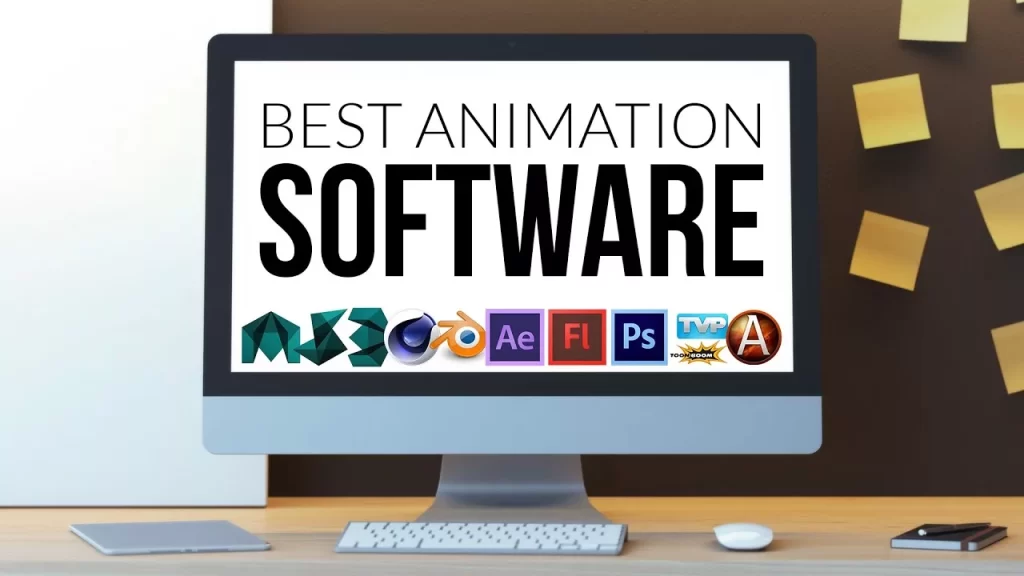
Top 5 Required Software for Animation in 2026 Join Course Introduction The animation industry has transformed dramatically over the past decade, evolving from simple 2D cartoons to highly advanced 3D visuals, cinematic VFX, and immersive digital experiences. In 2026, animation is no longer limited to movies and television it plays a crucial role in gaming, advertising, social media content, virtual reality (VR), augmented reality (AR), and even corporate presentations. With platforms like YouTube, OTT services, and digital marketing channels growing rapidly, the demand for skilled animators is at an all-time high. However, becoming a successful animator is not just about creativity or imagination. While storytelling and artistic skills are important, the real power lies in mastering the right animation software. These tools are what transform ideas into visually stunning outputs. Whether it’s creating lifelike characters, designing motion graphics, or producing high-end visual effects, professional animation software forms the backbone of the entire production process. For beginners, choosing the right software can feel overwhelming. There are dozens of tools available, each designed for different purposes such as 3D animation, 2D animation, motion graphics, or VFX. Without proper guidance, many students waste time learning tools that are either outdated or not relevant to industry demands. This is why understanding the most important and industry-required animation software is the first step toward building a successful career. Why Learning Animation Software is Important Before diving into the tools, let’s understand why animation software matters. Animation is not just about creativity it’s about execution. Professional software helps you: Create realistic characters and environments Produce high-quality visual effects Work on industry-level projects Get job-ready skills Studios today demand professionals who are skilled in multiple tools. Learning industry-standard software increases your chances of getting hired in: Film industry Gaming studios Advertising agencies YouTube content creation Freelancing & remote work According to industry insights, animation and VFX professionals are in high demand across entertainment, gaming, and digital media sectors. Moreover, learning these tools from a reputed training institute can make a significant difference. Institutes like MAAC KPHB focus on industry-oriented training, helping students gain hands-on experience with real-world projects rather than just theoretical knowledge. This practical exposure ensures that students are job-ready and confident in using professional tools required by studios and companies. Another important factor to consider is the career scope of animation software skills. Professionals trained in tools like Autodesk Maya, Adobe After Effects, Blender, Toon Boom Harmony, and Cinema 4D can explore multiple career paths, including 3D animation, VFX, video editing, motion graphics, and game design. These roles are not only creatively satisfying but also offer excellent earning potential, especially as the demand for digital content continues to rise globally. In this article, we will explore the top 5 required software for animation in 2026, their features, industry applications, and why mastering these tools is essential for anyone looking to build a successful career in animation. Wheth 1. Autodesk Maya – Industry Standard Software Autodesk Maya Autodesk Maya is considered the gold standard in 3D animation. It is widely used in Hollywood movies, AAA games, and high-end VFX projects. Key Features: Advanced 3D modeling and sculpting Character rigging and animation Realistic rendering with Arnold Simulation of hair, cloth, and fluids Maya is known for its powerful tools that allow animators to create realistic characters and environments. It is used in major film productions and gaming studios worldwide. Why You Should Learn Maya: High demand in studios Best for professional animation careers Essential for film and gaming industry At MAAC KPHB, students receive hands-on training in Autodesk Maya, preparing them for real-world production environments. 2. Adobe After Effects – Motion Graphics & VFX Adobe After Effects Adobe After Effects is the go-to software for motion graphics, compositing, and visual effects. Key Features: Motion graphics design Video compositing Visual effects creation Integration with Adobe Creative Cloud This software is widely used in: YouTube videos Advertisements Film post-production Its seamless integration with tools like Photoshop and Premiere Pro makes it extremely powerful for creative professionals. Why You Should Learn After Effects: High demand in digital marketing Perfect for content creators Essential for VFX and editing At MAAC KPHB, students learn practical motion graphics projects using After Effects to build strong portfolios. 3. Blender – Free & Powerful Animation Tool Blender Blender is one of the most popular free and open-source animation software available today. Key Features: 3D modeling and sculpting Animation and rigging Rendering and compositing Video editing Blender offers a complete animation pipeline and is widely used by freelancers and beginners due to its accessibility and powerful features. Why You Should Learn Blender: Free to use Beginner-friendly Strong community support Many students at MAAC KPHB start with Blender to understand animation basics before moving to advanced tools like Maya. 4. Toon Boom Harmony – Best for 2D Animation Toon Boom Harmony Toon Boom Harmony is a leading software for 2D animation, used by top studios like Disney and Cartoon Network. Key Features: Frame-by-frame animation Rig-based animation Advanced drawing tools Visual effects integration It is widely used in: Cartoon production TV animation Web series Harmony supports both traditional and modern animation workflows, making it a must-learn for 2D animators. Why You Should Learn Toon Boom: Best for cartoon animation Industry-standard for 2D High demand in studios At MAAC KPHB, students get practical exposure to 2D animation pipelines using Toon Boom Harmony. 5. Cinema 4D – Motion Graphics & Design Cinema 4D is known for its ease of use and powerful motion graphics capabilities. Key Features: Easy-to-use interface Mograph tools for motion design 3D modeling and rendering Integration with After Effects It is widely used in: Advertising Broadcast graphics Social media content Cinema 4D is especially popular among designers and content creators for creating visually appealing animations. Why You Should Learn Cinema 4D: Ideal for beginners in 3D Best for motion graphics High demand in advertising industry Students at MAAC KPHB learn Cinema 4D to create professional-level motion graphics and branding content. How MAAC KPHB Helps You Master Animation Software Choosing the right institute is just as important as choosing the right software.
Top YouTube channels for learning Blender in India:
Top YouTube channels for learning Blender in India: Join Course Introduction Blender has become one of the most popular tools for learning and creating 3D content. As a free and open-source 3D creation software, Blender can be used for modelling, animation, texturing, rendering, visual effects, motion graphics, game assets, and other creative projects. For beginners in India, YouTube is one of the easiest places to start learning Blender. There are tutorials available in English, Hindi, and other accessible formats covering everything from basic navigation to professional 3D workflows. However, choosing the right channel can be difficult because not every tutorial follows the same learning path. In this guide, we look at some useful YouTube channels and creators that learners in India can explore while learning Blender. Why Learn Blender? Blender is useful because it brings multiple 3D workflows into one application. You can use Blender for: 3D modelling Sculpting Texturing UV mapping Rigging Character animation Product visualization Architectural visualization Motion graphics Visual effects Rendering Game asset creation For students interested in animation, gaming, VFX, motion graphics, or 3D design, Blender can therefore be a useful skill to add to their creative toolkit. 1. Crossmind Crossmind is an animation and motion-design studio based in New Delhi, India. The studio has created free Blender learning content on YouTube, including beginner-focused tutorials. Their Blender material follows a practical, project-oriented approach, making it useful for learners who prefer to understand Blender by creating something rather than only watching software demonstrations. Best for: Beginners 3D modelling Animation Practical projects Motion design Why consider it? The tutorials come from a studio that works professionally in animation and motion design, which can give learners useful exposure to real creative workflows. 2. 5 Minutes Blender 5 Minutes Blender is an India-based educational YouTube channel focused specifically on Blender. The channel provides both beginner and advanced-level tutorials and covers a broad range of Blender topics. Its stated goal is to provide useful tutorials for students interested in animation and 3D modelling. Best for: Blender beginners Modelling Animation Specific Blender problems Quick learning sessions Why consider it? The channel has a large library of tutorials, making it useful when you need help with a particular Blender feature or workflow. 3. Blender Tutorial Hindi Blender Tutorial Hindi is an India-focused channel created to help learners understand 3D modelling and animation through Hindi tutorials. The channel covers beginner-oriented Blender topics such as low-poly modelling and basic 3D projects. Best for: Hindi-speaking beginners Basic Blender learning 3D modelling Simple animation projects Why consider it? Learning complex 3D software in a familiar language can make the initial learning curve easier for beginners. 4. Hindi Tooniverse Hindi Tooniverse focuses on animation tutorials in Hindi and covers both 2D and 3D animation topics. Its content includes Blender 3D basics, Blender Grease Pencil, character animation, and Adobe Animate. Best for: Hindi-speaking learners Animation beginners 2D animation 3D animation Character animation Grease Pencil Why consider it? It can be useful for learners who want to explore animation rather than focusing only on modelling. 5. Aniket Rawat Aniket Rawat is an India-based 3D artist whose content focuses on Blender, Substance Painter, and Unreal Engine. The channel is particularly relevant for learners interested in game art and professional 3D workflows. Best for: Intermediate learners 3D workflows Game art Blender Substance Painter Unreal Engine Why consider it? If your goal is to move beyond basic Blender tutorials and explore game-art workflows, combining Blender with Substance Painter and Unreal Engine can be useful. 6. My 3D Arts My 3D Arts is an India-based channel created by 3D artist Vinod Abraham, with content focused on Blender tutorials and 3D art. Best for: Blender learners 3D art Modelling Creative projects Why consider it? The channel can be useful for learners who prefer project-based 3D content and want to explore different types of Blender artwork. YouTube vs Structured Blender Training YouTube is an excellent starting point, but it has one major limitation: there is usually no fixed learning path. A beginner may watch: Modelling Tutorial → Character Tutorial → Geometry Nodes → Animation → VFX → Random Tutorial without understanding what should actually be learned first. This can lead to what is often called tutorial hopping. A better approach is to follow a structured roadmap Is YouTube Enough to Learn Blender? You can learn a lot of Blender through YouTube, especially the fundamentals. However, becoming professionally job-ready requires more than watching tutorials. You also need: Structured practice Original projects Feedback Portfolio development Industry workflow knowledge Understanding of your chosen specialization YouTube works particularly well when combined with a clear learning roadmap. Enroll now or book a free demo class today!