The gaming and interactive technology industry has expanded far beyond traditional PC and console games. Today, developers use real-time 3D technologies to create mobile games, augmented reality applications, virtual reality experiences, simulations, interactive environments, and many other digital experiences.
For students and aspiring developers looking for a Unity course in Hyderabad, learning Unity can provide a practical introduction to game development and real-time 3D creation.
Unity is a real-time development platform used to create 2D and 3D games and interactive applications. Its learning ecosystem includes dedicated pathways for game development, mobile AR development, VR development, programming, and creative workflows.
A well-structured Unity course can help beginners understand the Unity Editor, game scenes, GameObjects, components, scripting, animation, physics, user interfaces, lighting, optimization, and deployment. Students interested in immersive technologies can also progress toward mobile AR and VR development.
This article explains what a Unity course involves, what students can learn, how Unity is used for mobile games and AR/VR, what skills are required, possible career opportunities, project ideas, and how beginners can build a portfolio.
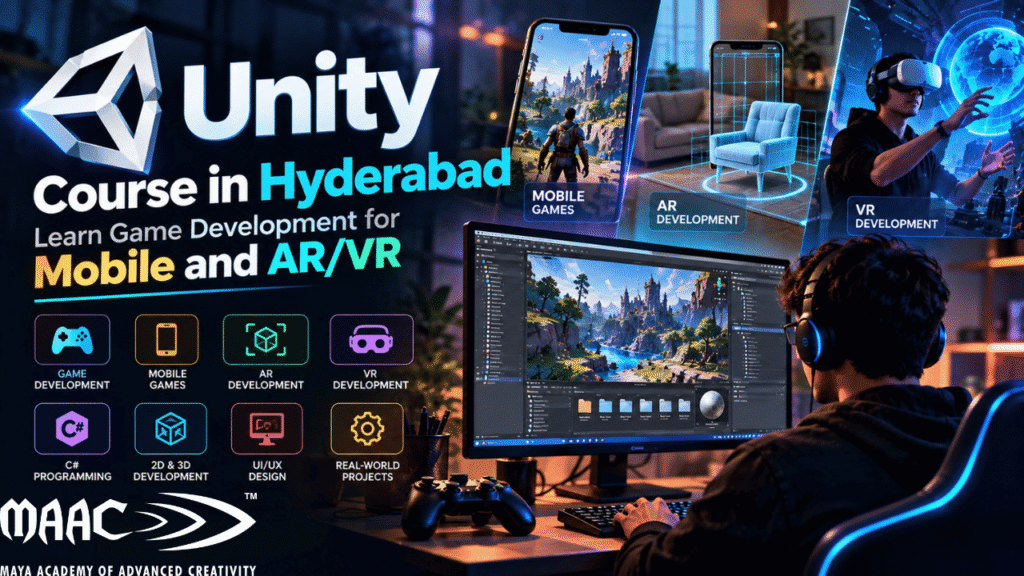
Unity is a real-time development platform that allows creators to build interactive 2D and 3D experiences.
It is widely associated with game development, but its applications extend beyond traditional gaming. Unity learning resources currently cover areas including game development, mobile AR, VR, creative development, programming, UI, visual effects, animation, lighting, and other real-time 3D skills.
One of the reasons Unity is attractive to beginners is that it provides a visual development environment where developers can construct scenes, add objects, configure components, create interactions, test projects, and eventually deploy their experiences to supported platforms.
A beginner can start with a simple 3D scene and gradually progress toward complete interactive applications.
For example, a basic Unity project could contain:
As the student’s skills improve, these individual elements can be combined into larger projects.
Real-time 3D development is becoming increasingly relevant across gaming and interactive technology.
Unity’s current learning ecosystem includes dedicated pathways for:
The official Unity learning platform currently describes its Game Development pathway as a beginner-oriented route covering the fundamentals of 2D and 3D game development. It also provides separate pathways for Mobile AR Development and VR Development.
This makes Unity useful for learners who want to explore multiple directions rather than limiting themselves to one type of project.
A student could begin with game development and later explore:
Hyderabad has a large technology and creative ecosystem, making it an important city for students interested in software, gaming, animation, digital media, and emerging technologies.
For someone searching for a Unity course in Hyderabad, the key consideration should not simply be the location of the institute. The curriculum and practical training are equally important.
A useful Unity program should ideally provide exposure to:
Students should also look for hands-on assignments rather than only theoretical lessons.
The objective should be to move from learning individual Unity features to creating complete projects.
A comprehensive Unity course can take a beginner through multiple stages of development.
The first step is understanding the Unity Editor.
Students learn how to work with areas such as:
Understanding the Editor is essential because most Unity workflows are built around these interfaces.
Students can learn how to create a project, organize assets, create scenes, add GameObjects, modify properties, and test their work.
GameObjects are fundamental building blocks of Unity projects.
A GameObject can represent:
Components add functionality to these objects.
For example, a GameObject can have components related to:
Understanding this component-based approach is one of the first major concepts beginners should master.
Unity supports 2D game development alongside 3D.
Students can learn how to create projects involving:
A beginner project could be a simple platform game where the player moves, jumps, collects objects, and reaches an objective.
This type of project teaches fundamental game-development concepts without requiring a complex 3D environment.
After learning the fundamentals, students can move into 3D.
A 3D Unity project may contain:
Students learn how different assets come together to create an interactive environment.
Unity’s official learning resources include a dedicated Game Development pathway covering the fundamentals of 2D and 3D game development.
Unity development commonly involves C# scripting.
Students do not need to become advanced software engineers immediately.
They can begin with fundamental programming concepts such as:
These concepts can then be applied to game mechanics.
For example, a beginner might create a script that:
Unity’s learning ecosystem also provides a Junior Programmer pathway specifically aimed at people who want to learn coding and work toward entry-level Unity programming skills.
Game mechanics define how players interact with a game.
Students can learn to create mechanics such as:
A game becomes more than a collection of 3D objects when these systems work together.
Physics can make interactive environments feel more realistic.
Unity projects can use physics for:
For example, if a player pushes a box, physics can determine how that box responds.
Learning physics is useful for both games and interactive simulations.
Animation brings characters and objects to life.
Students can work with:
Unity also provides tools for managing animation states and transitions.
For a character-based game, students might create different states such as:
Idle → Walk → Run → Jump → Attack → Death
Understanding how these states interact is an important part of creating polished gameplay.
Games need interfaces that communicate information clearly.
Students can learn how to create:
UI design is particularly useful for students who are interested in combining game development with UI/UX design.
Unity’s official learning resources include UI among its broader development topics.
Lighting plays an important role in the appearance and mood of a game.
Students can explore:
Good lighting can help create different moods.
For example:
A horror environment may use dark lighting and strong contrast.
A fantasy world may use atmospheric lighting and warm highlights.
A sci-fi environment may use dramatic artificial lights.
One of the major areas students can explore after learning Unity fundamentals is mobile development.
Mobile games require developers to think carefully about:
A game that works well on a powerful desktop computer may not perform well on a mobile device.
Therefore, mobile development introduces students to optimization and platform-specific design.
Mobile games often use touch interaction.
Students can create mechanics such as:
For example, a mobile character can be controlled using a virtual joystick while buttons can trigger jumping or attacking.
Optimization is an important part of mobile development.
Students can learn to consider:
Unity’s learning platform has also featured learning material specifically focused on optimizing graphics for mobile games.
Optimization should not be treated as something that happens only at the end of development.
It is better to consider performance throughout the project.
Augmented reality combines digital content with the physical environment.
For example, an AR application could allow a user to place a virtual object on a real table using a smartphone.
Unity provides tools and workflows for developing AR experiences on mobile devices.
Unity’s official Mobile AR Development pathway teaches learners how to develop AR applications compatible with iOS and Android devices.
Unity’s current AR documentation also describes workflows involving plane detection, object placement, gesture interaction and manipulation of virtual objects.
A Unity learner can experiment with projects such as:
Users can place a virtual chair or table in their room.
A user can view a 3D product in a real environment.
Students can explore a 3D model of:
A virtual game can appear within the user’s physical environment.
These projects demonstrate how Unity skills can extend beyond conventional games.
Virtual reality creates immersive digital environments where users interact with virtual content through a headset.
Unity provides dedicated learning pathways for VR development.
Its current VR Development pathway includes areas such as:
The pathway also introduces interactions such as grabbing objects and moving through a virtual environment.
Possible beginner projects include:
Unity’s official Create with VR course describes projects such as interactive walkthroughs, product configurators and simulations, showing how VR development can extend beyond gaming.
Understanding the difference between AR and VR is important for students.
AR adds digital content to the physical world.
Examples:
VR places the user inside a virtual environment.
Examples:
Unity supports development for both areas through its XR ecosystem.
Learning Unity software is only one part of becoming a developer.
Students should also develop the following skills.
Game development involves solving problems.
You need to understand how different systems interact.
Basic C# knowledge can help you create interactive behavior.
Games and interactive applications require ideas.
Understanding:
can help with 3D projects.
Good interfaces make applications easier to understand and use.
Developers need to identify and fix problems.
For example:
Debugging is a fundamental development skill.
A simple learning roadmap can look like this:
Learn:
Learn:
Create a simple 2D game.
Learn:
Create a small 3D environment.
Learn:
Learn:
Choose either:
and create a small immersive project.
Document your projects and create a professional portfolio.
Projects are one of the best ways to demonstrate Unity skills.
Features:
Create:
Build a small game with:
Allow users to place and rotate a virtual product in their physical environment.
Create an interactive VR room where users can:
These projects can become portfolio pieces.
A portfolio can be more important than simply listing software on a résumé.
Instead of saying:
“I know Unity.”
Show what you built with Unity.
A portfolio project should ideally include:
For example:
Tools: Unity + C#
Features:
This gives employers or clients a better understanding of your practical ability.
Learning Unity can support different career directions depending on the student’s additional skills.
Works on interactive applications and games using Unity.
Creates gameplay systems, mechanics and interactive experiences.
Focuses on games designed for mobile devices.
Creates augmented reality applications.
Builds virtual reality applications and experiences.
Works with extended-reality technologies combining AR, VR and related interactive systems.
Combines art and technical skills to improve real-time workflows.
Creates real-time 3D applications outside traditional gaming.
One of the biggest advantages of learning Unity is that real-time development skills can be applied beyond games.
Potential application areas include:
Unity’s official VR materials specifically describe applications across areas including architecture, automotive, film, games and training.
This means students can build a career around real-time 3D technology without necessarily working exclusively in the gaming industry.
Some Unity roles require strong programming skills, while others are more focused on creative production.
For example, a gameplay programmer will generally need stronger C# skills.
A technical artist may need a combination of scripting and visual skills.
A 3D artist working with Unity may focus more on:
Students should therefore choose their learning direction based on their career interests.
Unity’s official learning ecosystem separates creative development, programming, game development, mobile AR and VR into different learning pathways, reflecting these different skill directions.
You don’t need to know everything before starting.
A beginner can start with:
The key is consistent practice.
Rather than watching dozens of tutorials without building anything, try to create something after every major topic.
For example:
Learn movement → create movement
Learn collision → create an interaction
Learn UI → create a menu
Learn animation → animate a character
Learn AR → create a simple AR object-placement project
This approach helps convert theoretical knowledge into practical skills.
The learning time depends on your previous experience, learning schedule and career goal.
A beginner can start understanding the Unity Editor relatively quickly, but becoming comfortable enough to build professional projects requires consistent practice.
Unity’s official learning ecosystem currently offers pathways ranging from foundational learning to more specialized development. For example, Unity lists its Essentials pathway at around two weeks, Creative Core at around ten weeks, Junior Programmer at around twelve weeks, Mobile AR Development at around eight weeks, and Game Development at around twelve weeks. These are structured learning-path estimates rather than guarantees of professional proficiency.
Students should therefore think in terms of progressive skill development rather than trying to become an expert within a fixed number of days.
If you are comparing a Unity course in Hyderabad, consider the following factors.
Check whether the course covers both fundamentals and practical development.
If you want to become a developer, make sure programming is included.
Ask whether students build complete projects.
If mobile games are your goal, check whether the course includes mobile workflows and optimization.
If you are interested in immersive technology, check whether the curriculum includes AR and VR.
Find out whether the course includes project documentation and portfolio development.
Hands-on practice should be a major part of the course.
Look for opportunities to understand real development workflows.
Unity is a large platform.
Start with the fundamentals.
Tutorials can teach concepts, but projects demonstrate whether you can apply them.
Even if you are focused on creative development, understanding basic scripting can be valuable.
Your first project does not need to be an open-world game.
Start small.
Performance should be considered throughout development, especially for mobile and VR.
An application can behave differently on a computer, smartphone and VR headset.
Test your projects on the devices they are intended for whenever possible.
The broader real-time 3D ecosystem continues to develop across gaming and immersive applications.
Unity currently provides dedicated learning and development resources for:
Its current XR documentation describes support for multiple platforms and devices through its XR plug-in framework.
For AR specifically, Unity provides workflows involving mobile devices, object placement, plane detection, gestures and interaction.
For VR, Unity provides tools and learning resources covering interaction, locomotion, optimization and deployment to supported head-mounted displays.
This creates multiple learning directions for students who want to develop real-time interactive skills.
A Unity course teaches students how to use Unity for creating games and interactive 2D/3D experiences. Depending on the curriculum, it can include C#, game mechanics, animation, physics, UI, mobile development, AR and VR.
Yes. Unity provides a dedicated beginner learning pathway and structured resources designed to introduce newcomers to the Unity Editor and real-time development.
Yes. Unity supports mobile game development, and its learning resources include game-development and mobile-focused content.
Yes. Unity provides dedicated Mobile AR Development learning resources and AR development tools.
Yes. Unity provides dedicated VR development pathways and courses covering VR projects, interaction, locomotion and optimization.
Basic programming knowledge is useful, particularly if you want to become a Unity developer. Beginners can learn C# gradually alongside Unity.
C# is the primary programming language used for scripting in Unity.
Yes. Unity skills can be applied to AR/VR, architecture, automotive, training, simulation, entertainment, visualization and other real-time 3D applications.
Start with small projects such as a 2D platformer, simple 3D game, mobile game, AR product viewer or interactive VR room.
Yes. A portfolio allows you to demonstrate your practical Unity skills instead of simply listing Unity as a software skill.