Mobile gaming has become an important part of the global digital entertainment industry. Smartphones have made games accessible to a large number of users, creating opportunities for designers, developers, artists, UI/UX professionals, animators, and game producers.
For students and aspiring game professionals who want to enter this field, a https://maackphb.com/mobile game design course can provide a structured introduction to the complete mobile game production process. Instead of focusing only on game graphics or programming, a comprehensive course can help students understand how a mobile game is planned, designed, developed, tested, published, and monetized.
Mobile game design combines several disciplines, including gameplay design, user interface design, level design, 2D and 3D art, animation, game engines, user experience, optimization, publishing, and monetization.
A program such as PMGDI can be particularly relevant for learners who want to understand the creative and production side of mobile games while developing practical skills through projects.
This article explains what mobile game design involves, what students can learn, how mobile UI and levels are designed, how game engines are used, what publishing involves, how mobile games generate revenue, what skills are required, and what career opportunities students can explore after completing a mobile game design course.
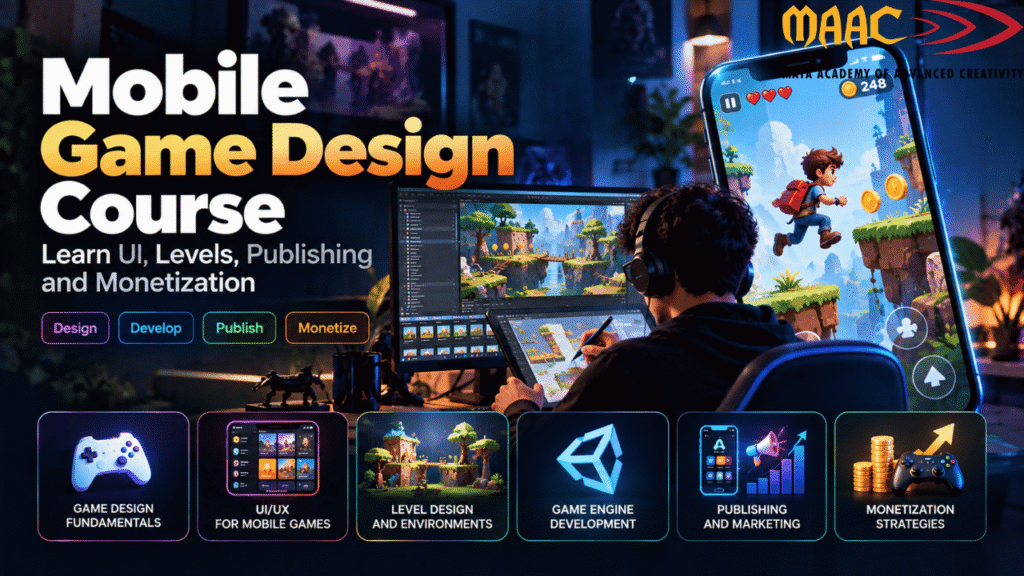
Mobile game design is the process of planning and creating games specifically for smartphones and tablets.
Although mobile games share many principles with PC and console games, mobile devices introduce unique design considerations.
A mobile game needs to account for:
The designer must therefore think about the entire user experience.
A mobile game is not simply a traditional game placed on a smartphone.
The controls, interface, level structure, performance, monetization and player journey may all need to be designed specifically for mobile users.
A mobile game design course can help students understand the complete process of turning a game idea into an interactive product.
Students can learn how to move through different stages:
Idea → Game Concept → Gameplay → UI → Levels → Development → Testing → Publishing → Monetization
This gives learners a broader understanding of game production.
Instead of learning only one software tool, students can understand how different roles and processes work together.
For example, a mobile game may require:
Understanding these connections can help students work more effectively in professional game-development teams.
A mobile game design course can be considered by students and learners who are interested in:
Students from different educational backgrounds may explore game design depending on the eligibility requirements of the particular program.
You don’t necessarily need to be an expert gamer.
Playing games can help you understand player experiences, but professional game design requires a deeper understanding of why games work.
A designer needs to think about questions such as:
These questions form part of the design process.
A comprehensive mobile game design course can cover multiple areas of game production.
The first step is understanding the principles behind games.
Students can learn about:
A gameplay loop describes what players repeatedly do during the game.
For example:
Explore → Collect → Upgrade → Challenge → Reward → Repeat
Understanding this loop helps designers create games that have a clear and engaging structure.
Every game begins with an idea.
Students can learn how to convert a basic idea into a structured game concept.
A game concept can define:
For example, instead of saying:
“I want to create a racing game.”
A designer might develop the concept into:
“A casual mobile racing game where players compete in short races, unlock vehicles, customize them, complete daily challenges and progress through increasingly difficult tracks.”
This provides a much clearer foundation for development.
User interface design is one of the most important parts of mobile gaming.
Unlike PC games, mobile games rely heavily on touch interaction.
The UI must therefore be:
Students can learn to design:
A mobile screen has limited space.
If too many buttons are placed on the screen, the player can become confused.
If buttons are too small, they may be difficult to tap.
If important information is hidden, the player may not understand what to do.
Therefore, mobile game UI design requires careful consideration of:
Good UI should communicate information without interrupting the gameplay experience.
UI focuses on interface elements, while UX considers the broader player experience.
Game UX can include:
For example, when a player launches a mobile game for the first time, the game needs to explain the controls and objective.
A good onboarding experience can introduce the player gradually rather than presenting a large amount of information at once.
Students can learn to design user journeys that make games easier to understand and more enjoyable to navigate.
Level design is another major component of game development.
A level is not simply a visual environment.
It is a designed space that guides players through challenges and objectives.
Students can learn to plan:
For mobile games, level design often needs to consider shorter play sessions.
A player may open a mobile game while:
Therefore, some mobile games use levels that can be completed within relatively short sessions.
A mobile game should provide a sense of progression.
If every level is too easy, players may lose interest.
If the game becomes difficult too quickly, players may stop playing.
Designers can gradually introduce:
For example:
Level 1: Learn movement
Level 2: Introduce obstacles
Level 3: Introduce enemies
Level 4: Combine enemies and obstacles
Level 5: Introduce a new mechanic
This creates a structured learning and progression curve.
Game mechanics define what players can do.
Examples include:
A designer needs to understand how individual mechanics work together.
For example, in a simple adventure game:
Movement + Exploration + Collection + Upgrades + Challenges
can form the basic gameplay system.
Modern mobile games are commonly developed using real-time game engines.
Depending on the program, students may encounter tools such as:
Unity is particularly associated with mobile game development and provides workflows for 2D and 3D games.
Students can learn concepts such as:
Learning a game engine allows students to turn designs into interactive experiences.
Students interested in Unity-based mobile development can benefit from learning C#.
They can begin with:
These concepts can be used to create gameplay systems.
For example:
A script can control player movement.
Another script can manage health.
Another can handle scoring.
Another can control a menu.
Another can trigger an animation.
The objective is not simply to learn programming syntax but to understand how code creates game behaviour.
Not every mobile game needs complex 3D graphics.
2D games remain an important category of mobile gaming.
Students can explore:
Possible projects include:
Learning 2D design can also help students understand core gameplay principles before moving into more complex 3D projects.
Students can also explore 3D mobile games.
This may involve:
However, mobile 3D games need careful optimization.
A highly detailed asset that works perfectly on a powerful computer may negatively affect performance on a mobile device.
Therefore, students need to understand the relationship between visual quality and performance.
Optimization is one of the most important technical considerations in mobile development.
A mobile device has limitations involving:
Students can learn to optimize:
Optimization should not be left until the final stage.
It is better to consider performance throughout development.
Mobile games require control systems designed for touchscreens.
Common interactions include:
Different genres require different control systems.
For example:
A racing game may use:
A strategy game may rely on:
A platform game may use:
The control system should feel natural for the target audience.
Creating a game is only part of the process.
The next step is publishing it.
Students can learn about the basic publishing process for mobile platforms such as:
Publishing generally involves preparing:
Students should understand that app-store policies and technical requirements can change, so developers should always check the current requirements of the platform before publishing.
Android developers can prepare their game for distribution through Google’s app ecosystem.
The publishing process can involve:
Students can learn how to prepare a game for release rather than stopping at the development stage.
iOS publishing involves Apple’s developer ecosystem.
Developers need to consider:
Understanding the publishing process helps students see the complete lifecycle of a mobile game.
Before publishing, games need to be tested thoroughly.
Testing can identify:
Students can learn to test games on different screen sizes and hardware configurations where possible.
Testing should happen throughout development rather than only at the end.
One of the important topics in a professional mobile game design course is monetization.
Monetization refers to how a game generates revenue.
Different games can use different models.
Players pay before downloading the game.
This model can work when the game provides enough value to justify an upfront purchase.
Players can download and play the game without an initial purchase.
Revenue may come from:
Free-to-play games require careful design because monetization should not unnecessarily damage the player experience.
Players can purchase digital items or features.
Examples include:
A responsible monetization system should be transparent about what users are purchasing.
Mobile games can generate revenue through advertisements.
Common advertising formats can include:
Rewarded advertisements can give players an optional reward after viewing an advertisement.
The placement and frequency of ads should be carefully considered because excessive interruptions can negatively affect the user experience.
Some mobile applications and games may use recurring subscription models.
Subscriptions can provide:
The value offered should be clear to the user.
Monetization is connected to game economy design.
A game economy can involve:
Designers need to ensure that the economy remains balanced.
For example, if everything can be purchased immediately, players may lose motivation to progress.
If rewards are too difficult to earn, players may become frustrated.
Therefore, designers need to consider:
Progression + Rewards + Purchases + Player Motivation
Creating a game is only the beginning.
Developers also need to think about why players return.
Retention can be supported through:
However, retention should be based on providing meaningful experiences rather than simply creating unnecessary pressure to return.
Game analytics can help developers understand how players interact with a game.
Metrics may include:
Analytics can help designers identify where players are struggling or where they stop playing.
For example, if many players leave during the same level, designers can investigate whether:
This makes analytics useful for improving the game.
Practical projects are an important part of learning.
A mobile game design course can encourage students to develop different types of projects.
Features:
This project introduces fundamental game mechanics.
Students can design a puzzle game involving:
This is useful for learning level design and UI.
Students can explore:
Create a small 3D adventure game involving:
Students can design a prototype containing:
This can demonstrate understanding of commercial game design.
A portfolio is one of the most important assets for a student entering the game industry.
Instead of simply writing:
“Mobile Game Design – Completed“
show what you created.
A portfolio project can include:
Explain:
Explain:
Show:
Show:
Mention:
Include:
A mobile game design course can lead to different career directions depending on the skills you develop.
Works on:
Creates:
Creates:
Creates:
Creates:
Develops games and interactive experiences using Unity.
Coordinates different parts of game production.
Works between the creative and technical sides of production.
Software knowledge is only one component of a successful game-design career.
Students should also develop:
Generate original game ideas.
Identify and solve design and technical problems.
Work with programmers, artists, designers and producers.
Study how successful games handle:
Use player feedback and analytics to improve games.
Professional games are generally created by teams.
Before joining a mobile game design course, students should evaluate the program carefully.
Check whether it covers:
Ask how many games students actually build.
Check which game engines and design tools are included.
Find out whether students receive guidance on presenting their work.
Look for practical assignments and production-oriented workflows.
Ask about:
A game should have a clearly defined target audience.
Controls designed for PC may not work well on mobile.
Mobile screens have limited space.
High-quality graphics can create performance problems on mobile devices.
Start with a small, complete game.
Revenue should not replace good gameplay.
Player feedback can reveal problems that designers miss.
Document your projects from the beginning.
Artificial intelligence is increasingly becoming part of game-development workflows.
AI can assist with:
However, AI does not replace the need for game-design fundamentals.
Designers still need to understand:
AI can be used as a productivity tool, but strong game-design knowledge remains important.
Students can follow a structured progression.
Learn:
Learn:
Learn:
Learn:
Learn:
Learn:
Learn:
Understand:
Create several complete projects and present them professionally.
A mobile game design course teaches students how to plan, design and develop games specifically for smartphones and tablets. It can cover gameplay, UI/UX, level design, game engines, programming, optimization, publishing and monetization.
Yes. Beginners can start with game-design fundamentals and gradually learn UI, level design, game engines and programming.
Basic programming can be useful, especially for students who want to work as game developers. However, game design also includes non-programming roles such as UI/UX, level design and game art.
Depending on the course and specialization, students may work with Unity, Unreal Engine, Photoshop, Blender, Maya, 3ds Max, Substance 3D Painter and other creative tools.
Some game engines and tools provide visual workflows that can reduce the amount of traditional coding required. However, understanding basic programming can significantly expand what you can build.
Mobile game monetization refers to the methods used to generate revenue from a game. These can include paid downloads, advertising, in-app purchases and subscriptions.
Level design is the process of planning the spaces, challenges, objectives, progression and gameplay flow within a game.
Mobile games use small touchscreens, so UI needs to be clear, accessible and easy to interact with. Poor UI can make controls and game information difficult to understand.
Publishing is an important part of the game lifecycle. Developers need to prepare builds, store listings, screenshots, descriptions and other required information before submitting a game to an app marketplace.
Yes. A portfolio demonstrates your practical ability and gives employers an opportunity to see the games, interfaces, levels and other projects you have created.