Adobe Photoshop is one of the most widely used creative software applications for image editing, graphic design, digital marketing, advertising, photography, social media content, and visual communication. From professional photo retouching to promotional posters, social media creatives, website banners, advertisements, thumbnails, and digital artwork, Photoshop can be used across a wide range of creative workflows.
For students and aspiring designers searching for a Photoshop course in Hyderabad, learning Photoshop goes beyond understanding individual tools and filters. A structured course can help learners understand how to combine technical features with design principles to create professional visual content for different platforms and purposes.
Photoshop can be useful for beginners who want to enter graphic design, photographers who want to improve their editing skills, content creators who need high-quality digital visuals, marketing professionals who create promotional content, and aspiring designers who want to build a professional portfolio.
A practical Photoshop course can introduce students to essential concepts such as layers, selections, masks, typography, colour correction, image retouching, photo manipulation, compositing, poster design, social media graphics, advertising creatives, and digital artwork. Students can also learn how to prepare designs for different digital and print applications.
Hyderabad’s technology, advertising, media, e-commerce, marketing, photography, and creative ecosystem provides several areas where Photoshop skills can be applied. However, learning software alone is not enough to become a professional designer. Students also need to understand composition, colour, typography, visual hierarchy, design principles, file preparation, and creative problem-solving.
This guide explores what a Photoshop course in Hyderabad can teach, the most important Photoshop tools and techniques, how Photoshop is used for photo editing and poster design, its role in digital marketing and social media, portfolio-building ideas, career opportunities, and how beginners can develop a practical Photoshop skill set.
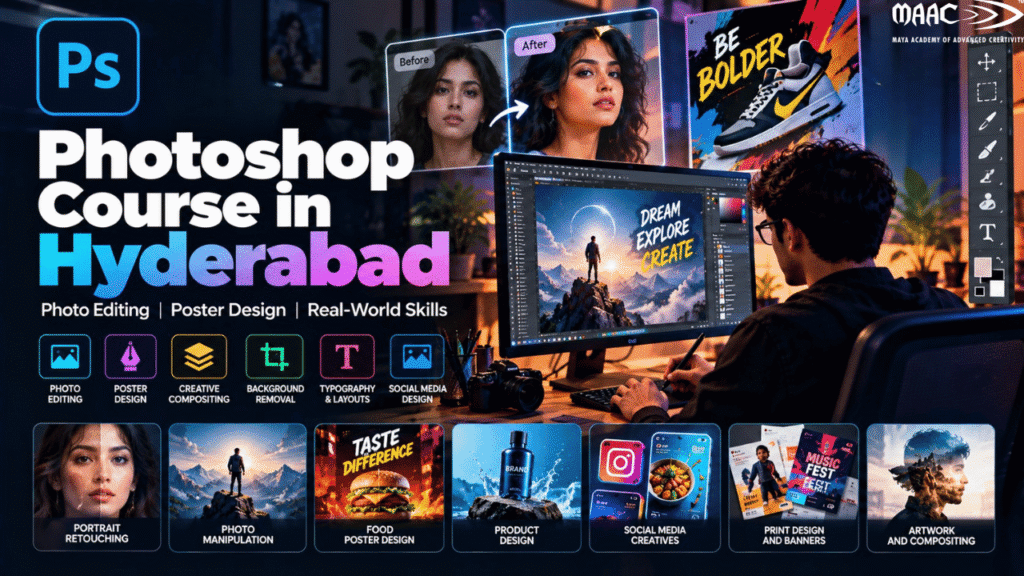
Adobe Photoshop is a digital image-editing and graphic-design application used to create, modify, enhance, and manipulate visual content.
It can be used for both simple and advanced creative tasks.
For example, a beginner might use Photoshop to:
An experienced designer may use Photoshop to:
This wide range of applications makes Photoshop an important tool for many creative professionals.
Digital content has become an important part of how businesses communicate with customers.
Companies regularly need visual content for:
As a result, Photoshop skills can be useful across multiple creative and marketing roles.
Learning Photoshop can also provide a foundation for learning other creative disciplines such as:
The software is only one part of the learning process. Students should also develop the ability to understand the purpose of a design and communicate a message visually.
A Photoshop course in Hyderabad can be suitable for learners from different educational and professional backgrounds.
It can be considered by:
You do not necessarily need previous Photoshop experience.
Beginners can start with basic tools and gradually move toward more advanced workflows.
A comprehensive Photoshop course can cover several areas.
The exact curriculum can vary between training programs, but a practical learning path can include:\
The first step for beginners is understanding the Photoshop workspace.
Students can learn about:
Understanding the interface helps students work efficiently.
Instead of memorizing every tool immediately, beginners should first understand what different categories of tools are designed to accomplish.
For example:
Selection tools help isolate areas.
Retouching tools help modify image details.
Painting tools help create digital artwork.
Typography tools help create text.
Transform tools help resize, rotate, and reposition elements.
Layers are one of the most important concepts in Photoshop.
A Photoshop document can contain multiple layers, allowing designers to work on different elements independently.
For example, a poster might contain:
Working with separate layers makes it easier to modify individual elements without affecting the entire design.
Students should learn:
Good layer organization is particularly important when working on professional projects.
Selections allow designers to isolate specific areas of an image.
Photoshop provides several methods for creating selections.
These can be useful for:
Students can learn how to work with different selection methods depending on the complexity of the image.
Accurate selections are particularly important when working with:
Layer masks provide a non-destructive way to hide or reveal portions of a layer.
Instead of permanently deleting parts of an image, designers can use masks to control visibility.
This is useful for:
Understanding masks is an important step toward more professional Photoshop workflows.
Photo editing is one of the most common applications of Photoshop.
Students can learn how to improve photographs by adjusting:
Basic editing can improve the overall appearance of an image.
However, professional photo editing requires careful adjustments rather than simply increasing every setting.
The objective should be to create a balanced and natural result appropriate to the image and its purpose.
Retouching involves improving or correcting specific details in a photograph.
Photoshop can be used for:
Retouching is used in areas such as:
Students should learn to make subtle corrections while maintaining realistic textures and details.
Background removal is a common requirement in digital design.
A designer may need to isolate:
The isolated subject can then be placed on a new background.
This technique is frequently used for:
Once a subject is isolated, designers can place it in a different environment.
For example, a product photographed in a studio can be placed into a promotional scene.
When creating a realistic composite, designers need to consider:
Simply placing one image over another does not automatically create a realistic result.
Photo manipulation involves combining or modifying visual elements to create a new image.
A designer might combine:
Photo manipulation can be used for:
This area encourages students to think creatively and experiment with visual storytelling.
Colour can significantly influence how an image looks and feels.
Photoshop provides tools for adjusting:
Students can learn to correct colour problems and create specific visual moods.
For example, an image may need to be:
Colour grading can also help different images within a campaign appear visually consistent.
Photoshop is not only an image-editing tool.
It can also be used to create text-based designs.
Students can learn:
Typography is particularly important when designing:
A strong headline can immediately attract attention and communicate the primary message.
Poster design is one of the most practical projects for Photoshop learners.
A poster can be created for:
A typical promotional poster might contain:
Headline → Main Visual → Supporting Information → Benefits → CTA
Students can learn how to balance these elements without making the design overcrowded.
An effective poster should generally have a clear visual hierarchy.
The viewer should be able to identify:
Important design principles include:
A poster with too much information can become difficult to read.
Social media is another major area where Photoshop skills can be applied.
Designers can create:
Different platforms and content formats have different dimensions and visual requirements.
Students can learn how to prepare designs while considering:
YouTube thumbnails need to communicate the subject of a video quickly.
Photoshop can be used to create thumbnails with:
A thumbnail should remain readable even when displayed at a relatively small size.
Students can practice creating multiple thumbnail concepts for different types of videos.
Online stores require product images and promotional graphics.
Photoshop can be used to:
E-commerce designers need to maintain accurate product representation while creating visually appealing promotional content.
Digital advertisements often require several creative variations.
For example, one campaign may need:
Photoshop makes it possible to adapt the same visual concept to different formats.
Students can learn to maintain consistency while changing layouts for different dimensions.
Photoshop is frequently used alongside other design tools in branding workflows.
A designer may use Photoshop for:
However, logos themselves are generally better created using vector-based software when scalability is important.
Understanding when to use Photoshop and when to use other design tools is an important part of professional workflow development.
Websites require different types of visual assets.
Photoshop can be used to create:
Designers need to consider file size and image optimization when preparing assets for websites.
A visually impressive image that loads extremely slowly may create a poor user experience.
Photoshop can also be used in print workflows.
Students can create:
Print design requires attention to:
Students should understand the difference between designing for a screen and preparing artwork for print.
Photoshop can also be used as a digital painting and illustration tool.
Artists can work with:
Digital artists can create:
A graphics tablet can also be used with Photoshop for certain drawing and painting workflows.
Photoshop is an important part of many graphic design workflows, but learning Photoshop alone does not cover the entire field of graphic design.
Graphic designers also need knowledge of:
Students who combine Photoshop skills with these fundamentals can create more purposeful designs.
Photoshop is highly relevant to digital marketing because marketing campaigns require visual content.
A digital marketing team may need:
A designer who understands basic marketing concepts can create designs that support campaign objectives.
For example, an advertisement should make the offer and CTA clear instead of focusing only on decoration.
Photographers can use Photoshop for advanced post-production.
A workflow may include:
Photography → Basic Correction → Retouching → Colour Adjustment → Final Export
Photographers can use Photoshop to refine images according to their creative goals.
It can be particularly useful for:
AI-powered features are increasingly becoming part of modern creative workflows.
AI-assisted tools can help with tasks such as:
However, AI tools do not remove the need for design knowledge.
A designer still needs to evaluate:
AI can speed up certain tasks, but creative judgment remains important.
A good Photoshop learning program should help students develop both technical and creative skills.
Students can learn:
Students can develop:
Combining these skills is more valuable than simply memorizing Photoshop shortcuts.
Projects are an important part of learning.
Students can create a portfolio containing different types of work.
Take a portrait and demonstrate:
Take a subject and create a realistic new environment.
Show:
Create a poster for:
Include:
Create a set of related graphics.
For example:
Maintain consistent branding across the complete campaign.
Create a promotional advertisement for a fictional product.
Use:
Create several thumbnails for different video topics.
Focus on:
Combine multiple images to create a conceptual scene.
This project can demonstrate:
A portfolio is important for students who want to demonstrate their skills to employers or clients.
Instead of uploading dozens of random designs, create a carefully selected portfolio.
A portfolio can include:
For each project, explain:
Brief → Concept → Process → Final Design
Showing the process helps demonstrate that you understand how to solve design problems.
Photoshop skills can be useful across several creative roles.
Creates visual content for businesses, campaigns, and organizations.
Works with photographs and digital images.
Specializes in professional image correction and enhancement.
Creates visual content for social media campaigns.
Creates advertisements and promotional graphics.
Develops campaign creatives for brands and businesses.
Creates product images and promotional graphics for online stores.
Creates visual assets for digital content.
Works across branding and digital visual communication.
Works directly with businesses, agencies, creators, and individuals.
Photoshop can be useful for freelance services such as:
However, freelancing requires more than software knowledge.
Freelancers should also learn:
A professional portfolio can help potential clients understand the type and quality of work you provide.
A beginner can follow a structured learning path.
Understand:
Practice:
Practice:
Practice:
Study:
Design different promotional posters.
Practice:
Select your strongest work.
Choose an area such as:
When comparing a Photoshop course in Hyderabad, students should look beyond the course title.
Make sure the course covers both basic and advanced Photoshop workflows.
Projects are important.
Ask what students actually create during the program.
Make sure the training covers relevant current workflows and features.
A course that helps students create practical projects can be more useful than one focused only on theory.
Look at the trainer’s design and industry background where available.
Consider whether you prefer:
Depending on the institute, support may include:
Students who have completed 12th can explore Photoshop as part of a broader graphic design or digital media learning path, depending on the eligibility requirements of the program they choose.
A possible learning progression is:
Photoshop Basics → Photo Editing → Graphic Design → Poster Design → Digital Content → Portfolio
Students can then explore related areas such as:
This can help them build a broader creative skill set.
Digital marketing professionals frequently need visual content.
Learning Photoshop can help marketers understand how to create or modify:
Even when a marketing professional does not become a full-time designer, basic Photoshop knowledge can make collaboration with creative teams easier.
A portfolio is important for students who want to demonstrate their skills to employers or clients.
Instead of uploading dozens of random designs, create a carefully selected portfolio.
A portfolio can include:
For each project, explain:
Brief → Concept → Process → Final Design
Showing the process helps demonstrate that you understand how to solve design problems.
Content creators can use Photoshop to build a consistent visual identity.
For example, a creator can develop:
Creating a consistent visual system can make content easier to recognize.
Students can learn how to develop templates while still maintaining flexibility for different topics.
Photoshop is an important skill, but it is not the entire graphic design field.
Professional designers may also need knowledge of:
Photoshop is particularly strong for raster-image editing and compositing, while other tools are better suited to specific tasks.
Understanding which tool to use for each job is an important professional skill.
A Photoshop course teaches students how to use Adobe Photoshop for image editing, photo retouching, graphic design, poster creation, social media content, advertising, compositing, and other creative applications.
Beginners can start with basic tools and gradually learn more advanced techniques. Regular practice and project-based learning can make the learning process easier.
Yes. Students who have completed 12th can learn Photoshop as part of a graphic design or digital media program, depending on the eligibility requirements of the chosen course.
No. Drawing skills can be useful for digital artwork, but Photoshop is also widely used for photo editing, advertising, retouching, poster design, and other tasks that do not require traditional drawing.
You can create and edit photographs, posters, advertisements, social media graphics, thumbnails, website graphics, digital artwork, product images, photo composites, and more.
Yes. Photoshop can be used to create social media creatives, advertisements, banners, promotional images, and other digital marketing assets.
Yes. Photoshop is widely used to create promotional posters for events, products, businesses, courses, campaigns, and other purposes.
Yes. Photo editing and retouching are among Photoshop’s major applications.
Photoshop can be a useful skill for roles such as graphic designer, photo editor, retoucher, social media designer, advertising designer, content designer, and visual designer. Career opportunities depend on the broader skill set, portfolio, experience, and requirements of employers.
Yes. A portfolio gives employers and clients a practical view of your abilities. It is useful to show different types of projects rather than only one category of work.
Yes. Photoshop skills can be used for freelance services such as photo editing, retouching, poster design, social media graphics, thumbnails, product image editing, and advertising creatives.