The way people interact with digital content is changing rapidly. Instead of experiencing digital information only through a computer or smartphone screen, users can now interact with virtual environments, digital objects and immersive experiences through augmented reality (AR) and virtual reality (VR).
This development has created new opportunities across gaming, entertainment, education, architecture, training, simulation, advertising, healthcare, automotive visualization and interactive media.
For students interested in gaming and immersive technology, an AR VR course in Hyderabad can provide an opportunity to learn how interactive 3D experiences are designed and developed. AR and VR skills can complement game-design knowledge by teaching students how to create immersive environments, interactive objects, user interfaces and real-time experiences.
A structured AR/VR program such as AR/VR / PID can introduce students to concepts such as immersive design, 3D environments, interaction design, real-time engines, virtual experiences and emerging technologies.
This article explains what AR and VR are, how they are connected to game design, what skills students can learn, which tools are commonly used, what projects they can create, possible career opportunities, and how to build a portfolio for the growing immersive-technology field.
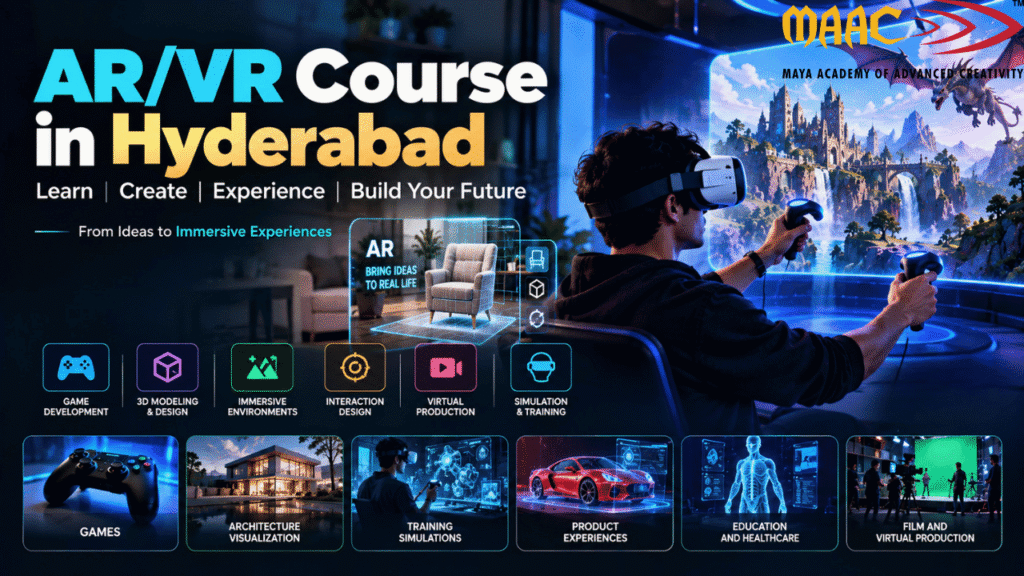
Before choosing an AR VR course in Hyderabad, it is important to understand the difference between augmented reality and virtual reality.
Augmented Reality, commonly called AR, adds digital content to the user’s real-world environment.
Instead of completely replacing the physical world, AR places digital objects, information or effects within it.
For example, an AR application can allow a user to:
A smartphone or tablet can often be used for AR experiences, while specialized AR glasses and headsets can provide more immersive experiences.
Virtual Reality, or VR, creates a digital environment that surrounds the user.
Instead of looking at a digital object through a normal screen, the user can enter and interact with a virtual environment using a VR headset and controllers or other tracking systems.
VR applications can include:
For game designers, VR introduces another dimension of interaction because the player is physically situated within the digital environment.
Although AR and VR are often discussed together, their user experiences are different.
| AR | VR |
|---|---|
| Adds digital content to the real world | Creates a completely virtual environment |
| Can use smartphones or AR devices | Usually uses a VR headset |
| Real environment remains visible | User is immersed in a digital environment |
| Useful for visualization and interactive applications | Useful for games, simulations and immersive experiences |
| Example: placing a virtual product in a room | Example: exploring a virtual game world |
Both technologies can use 3D models, animation, interaction design and real-time rendering.
That is why AR/VR knowledge can complement a game-design education.
Traditional games are usually experienced through a screen.
AR and VR can change how players interact with the game world.
In a conventional game, a player may use a keyboard, mouse or controller.
In VR, the player can potentially:
AR can create a different type of experience by placing game elements within the user’s physical environment.
For game-design students, learning AR/VR can therefore expand their understanding of:
Hyderabad has a growing ecosystem around technology, animation, gaming, design and digital media. Students interested in immersive technology can explore specialized training in AR, VR, 3D design and interactive development.
However, when choosing an AR VR course in Hyderabad, students should look beyond the course name.
A useful program should ideally provide exposure to:
Hands-on projects are particularly important.
AR and VR are practical technologies, so students should have opportunities to build and test experiences rather than only study concepts theoretically.
A comprehensive AR/VR course can introduce students to several areas of immersive technology.
Most AR/VR experiences rely on 3D content.
Students can learn:
These skills are useful for creating objects that will eventually be placed inside an AR or VR experience.
Students interested in game design can learn how to develop:
The same design principles can then be adapted to immersive environments.
For example, a simple game mechanic such as collecting an object becomes different when the player has to physically look toward, reach for or interact with that object in VR.
Real-time 3D is a fundamental technology behind many modern AR and VR experiences.
Students can learn how to:
Real-time engines such as Unity and Unreal Engine are commonly used for interactive 3D development.
Interaction is one of the most important aspects of AR/VR.
Students need to understand how users interact with digital objects.
Interactions can include:
An AR/VR application should not simply look impressive.
The interaction should feel intuitive and understandable.
Traditional UI design generally takes place on a flat screen.
AR and VR introduce three-dimensional space.
Students therefore need to think about:
For example, a button that works well on a desktop screen may not work well inside a VR environment.
The designer must consider where the button is placed, how large it is and how the user reaches it.
One of the most common questions students ask before joining an AR VR course in Hyderabad is:
“Which software and tools will I learn?”
The exact software depends on the institute and curriculum, but AR/VR development commonly involves a combination of 3D applications, real-time engines, design tools and development frameworks.
Unity is one of the widely used real-time development platforms for interactive 2D and 3D experiences.
It can be used to create:
Unity provides dedicated learning pathways for areas such as game development, mobile AR and VR development.
For a beginner, Unity can provide a practical introduction to:
Students interested in both gaming and immersive technology can therefore benefit from understanding Unity.
Unreal Engine is another major real-time 3D platform.
It is widely associated with:
Students can use Unreal Engine to create detailed immersive environments and interactive experiences.
Learning Unreal Engine can be particularly useful for students interested in combining AR/VR with:
3D assets used in AR and VR may be created in applications such as:
These tools can be used to create:
The finished models can then be optimized and imported into a real-time engine.
Texturing is another important part of 3D production.
Substance 3D Painter can be used to create detailed materials and textures for 3D models.
For example, students can create textures for:
However, AR/VR assets often need to be optimized carefully because excessive geometry and high-resolution textures can affect performance.
Photoshop can support AR/VR workflows through:
Although immersive experiences are primarily 3D, 2D design skills remain useful.
Students working with Unity can benefit from learning C#.
They can start with programming fundamentals such as:
These concepts can then be applied to immersive interactions.
For example, a student can create a script that:
Students interested in programming can go deeper into C# and real-time development.
Learning software is only one part of becoming an AR/VR professional.
Students should also develop a combination of creative, technical and user-focused skills.
Understand how to create optimized 3D assets.
Learn how materials and surface details work.
Understand gameplay, objectives and interaction.
Develop basic scripting and logic skills.
Learn how users interact with digital interfaces.
Understand how objects and interfaces work in three-dimensional space.
AR/VR development involves technical and design challenges.
Immersive experiences benefit from clear narratives and visual communication.
One of the most interesting applications of AR/VR is gaming.
AR games can combine digital game elements with the player’s physical surroundings.
A game might allow players to:
The physical environment becomes part of the experience.
VR games provide a much more immersive experience.
Players can:
The game designer must think differently because the player is physically situated inside the game world.
VR design involves more than simply placing objects in a 3D environment.
Designers need to consider user comfort.
Important considerations include:
Poorly designed movement can make a VR experience uncomfortable for some users.
Therefore, user testing is an important part of immersive design.
Traditional UI and immersive UI are not identical.
In a desktop application, a menu can remain fixed on the screen.
In VR, an interface can exist inside the three-dimensional environment.
Examples include:
The designer must consider:
This creates opportunities for UI/UX designers who want to move into immersive experiences.
Practical projects are one of the most important parts of learning.
Here are several project ideas.
Create an application that allows users to place virtual furniture inside their room.
Features can include:
This project teaches spatial placement and user interaction.
Create an interactive educational experience.
For example:
Users can view and interact with 3D models.
Create a virtual museum.
Users can:
This project can demonstrate:
Build a small VR game.
For example:
Virtual Escape Room
Players must:
This can demonstrate game design and immersive interaction.
Create a 3D product showroom.
Users can:
This type of experience can demonstrate the application of AR/VR beyond gaming.
Create an interactive building environment.
Users can:
This project can be useful for students interested in architecture and visualization.
An AR VR course in Hyderabad can prepare students to explore different career directions depending on their specialization.
Creates augmented reality applications.
Builds immersive virtual experiences.
Works across extended-reality technologies.
Creates real-time interactive applications using Unity.
Develops interactive 3D experiences using Unreal Engine.
Creates models and assets used in immersive experiences.
Builds virtual environments.
Creates gameplay systems and interactive experiences.
Combines art and technical workflows.
Designs immersive interfaces and interactions.
Creates interactive real-time visualizations.
A portfolio should demonstrate what you can actually create.
Instead of only writing:
“AR/VR – Skilled”
show your projects.
A strong portfolio can include:
Explain the problem and objective.
Show:
Show:
Include:
Explain what problems you encountered and how you solved them.
This demonstrates both creative and technical thinking.
One of the biggest advantages of AR/VR skills is that they are not restricted to gaming.
Potential application areas include:
Interactive learning experiences can make complex concepts more visual.
VR can be used to simulate situations where practical training is required.
Users can explore buildings and environments before construction.
3D visualization can support product presentation and design.
AR can allow customers to visualize products in their physical environment.
Immersive experiences can be developed for entertainment and events.
Virtual environments can support simulation and visualization.
Brands can create interactive product experiences and campaigns.
This broader application landscape makes AR/VR skills relevant to multiple industries.
A student can follow a structured learning path.
Learn:
Learn:
Learn:
Learn:
Build a mobile AR project.
Build a small VR experience.
Choose:
Create and document several polished projects.
Before enrolling in an AR VR course in Hyderabad, students should compare the actual learning experience rather than choosing only based on promotional claims.
Look for:
Find out whether the course covers:
Ask how many projects students complete.
For VR training, appropriate hardware can be important for testing.
The program should help students create presentable projects.
Understand the trainers’ experience and specialization.
Ask about:
Knowing where buttons are located is not enough.
Understand the concepts behind the technology.
A technically impressive experience can still be difficult to use.
Start with small projects.
AR/VR applications need to maintain suitable performance for a comfortable experience.
User testing can reveal problems that developers may not notice themselves.
Document your projects professionally.
Artificial intelligence is also becoming part of immersive technology workflows.
AI can assist with:
However, AI does not eliminate the need for fundamental AR/VR skills.
Professionals still need to understand:
The combination of AI and immersive technology may create new creative workflows, but students should first develop a strong understanding of the fundamentals.
It depends on the career direction.
A 3D artist may focus primarily on:
An AR/VR developer may need:
A technical artist may combine:
A UI/UX designer may focus more on:
Therefore, students should choose their specialization according to their interests.
There is no fixed timeline for mastering AR/VR.
The technology combines several disciplines, so learning time depends on the student’s starting level and career objective.
A beginner may start with:
Design fundamentals → 3D → Unity/Unreal → Interaction → AR/VR → Projects → Portfolio
Someone with existing 3D or programming experience may progress faster through certain stages.
The important thing is consistent practice.
Building several small projects is generally more useful than spending months only watching tutorials.
Students who have completed 12th can explore specialized courses in AR/VR, game design, 3D design and interactive media, depending on the eligibility requirements of the chosen institution.
For students coming directly from school, an AR/VR course can introduce them to a combination of:
Students from different educational backgrounds may also explore AR/VR depending on their interests and the requirements of the program.
An AR/VR course teaches students how to design and develop augmented reality and virtual reality experiences. Depending on the curriculum, it may include 3D modeling, game design, Unity, Unreal Engine, programming, interaction design and immersive UI/UX.
Yes. Beginners can start with basic design and 3D concepts before progressing toward real-time development and immersive experiences.
Depending on the specialization, students may work with Unity, Unreal Engine, Maya, 3ds Max, Blender, ZBrush, Substance 3D Painter and Photoshop.
Not necessarily for every role. However, programming knowledge can be valuable for AR/VR development, especially when working with Unity and interactive systems.
Yes. AR and VR can be used to create immersive games and interactive gaming experiences.
Yes. AR/VR can be applied to education, architecture, training, simulation, automotive visualization, retail, marketing and entertainment.
Yes. Many AR/VR experiences require 3D assets, although the depth of modeling knowledge required depends on the specific career path.
Yes. Unity provides development tools and learning resources for mobile AR, VR and real-time interactive experiences.
Yes. Unreal Engine can be used for real-time 3D experiences, immersive environments, visualization and interactive applications.
Include a combination of: