Graphic design has become an important part of modern communication. From social media posts and advertisements to websites, packaging, branding, presentations, mobile applications, videos, and digital campaigns, businesses use visual communication to connect with their audiences.
As digital marketing and content creation continue to grow, the demand for designers who can combine creativity with technology has also created multiple career paths in graphic design.
For students, graduates, and aspiring creative professionals searching for a graphic design course in Hyderabad, learning the right design principles, software, visual communication techniques, and portfolio-building methods can provide a strong foundation for a career in the creative industry.
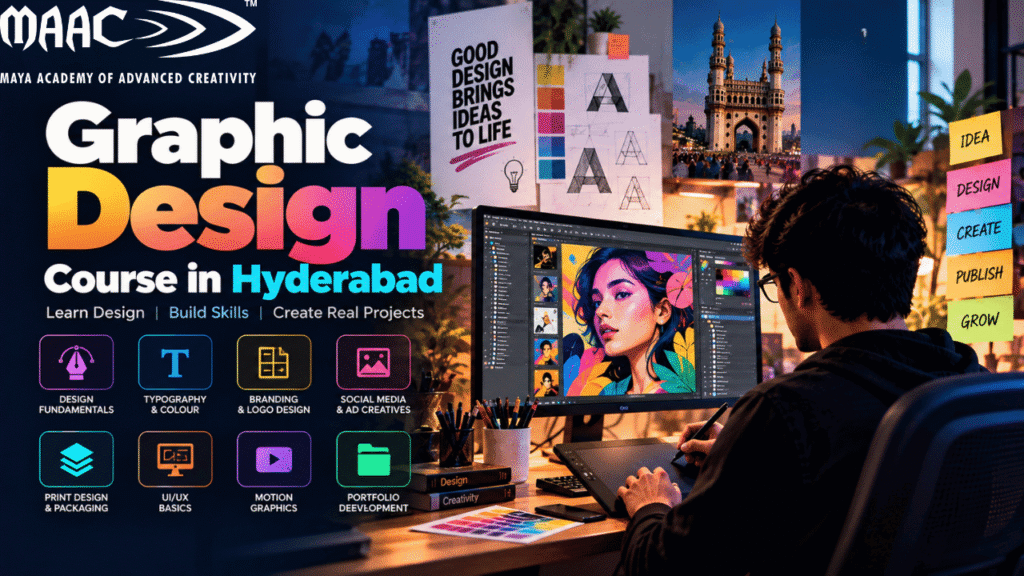
A comprehensive program such as Graphic Design / APDMD can help students move beyond basic image editing and develop practical skills across graphic design, branding, digital content, visual communication, and related creative workflows.
This guide explains what graphic design is, what students can learn in a graphic design course, the software commonly used, important design skills, portfolio requirements, career opportunities, and how to build a practical roadmap toward becoming a professional designer.
Graphic design is the process of communicating information, ideas, or messages through visual elements.
A graphic designer combines elements such as:
The objective is not simply to make something look attractive.
Good graphic design should help the audience understand a message quickly and clearly.
For example, a social media advertisement needs to communicate its message within a few seconds.
A website banner needs to guide attention toward the most important information.
A brand identity needs to create a consistent visual impression.
A product package needs to communicate information while also attracting attention.
These different requirements make graphic design a broad field with many specializations.
Graphic design is no longer limited to traditional print media.
Modern designers can work across:
The growth of digital content has also changed what employers expect from designers.
A designer may be expected to create a social media campaign, resize content for different platforms, prepare advertising creatives, design a presentation, edit images, and work with other marketing or development teams.
This means modern graphic designers benefit from having a combination of design fundamentals + software skills + digital knowledge + communication skills.
Hyderabad has a large technology, marketing, media, advertising, education, and startup ecosystem.
For students searching for a graphic design course in Hyderabad, the city provides access to training programs and opportunities across different creative disciplines.
However, students should not select a course only because it uses the words “graphic design.”
A useful program should ideally provide practical exposure to:
Students should also understand how the skills they learn can be applied to real-world projects.
Graphic design can be explored by students and learners from different educational backgrounds.
It may be suitable for:
You do not necessarily need to be an expert artist to start learning graphic design.
Drawing skills can be useful, especially for illustration and concept development, but graphic design also depends heavily on:
A student who is willing to practice and understand design principles can gradually develop professional-level skills.
A comprehensive graphic design course in Hyderabad can introduce students to several areas of visual communication
Design fundamentals are the foundation of everything else.
Students can learn about:
These principles help designers create layouts that are easier to understand.
For example, if every element on a poster has the same visual importance, the viewer may not know where to look first.
Visual hierarchy solves this problem by establishing:
Primary information → Secondary information → Supporting information
Colour is one of the most powerful elements in visual communication.
Students can learn:
Different colours can create different visual impressions.
For example:
However, colour should always be selected according to the context, audience, brand, and communication objective rather than relying only on generic colour meanings.
Typography is one of the most important skills for a graphic designer.
Students learn how to work with:
Typography affects how a design feels and how quickly information can be understood.
A poster with excellent images can still look unprofessional if the typography is poorly arranged.
Designers need to understand how to create hierarchy between:
Headline → Subheading → Body Text → Supporting Information
Layout determines how visual elements are arranged.
Students can learn to design:
A strong layout guides the viewer’s eye.
For example, a promotional poster might follow:
Headline → Visual → Key Benefit → Supporting Information → CTA
This structure helps the audience understand the message quickly.
Image editing is a common part of professional graphic design.
Students can learn to:
Image editing can be used for:
Photoshop is one of the most widely recognized tools in graphic design.
It can be used for:
Students should learn Photoshop as a design tool rather than simply memorizing individual features.
For example, understanding layers, masks, selections, blending modes, smart objects, adjustment layers, and non-destructive editing can help create more professional workflows.
Illustrator is primarily used for vector-based design.
It is useful for:
Vector graphics can be scaled without losing their fundamental quality, making Illustrator particularly useful for logos and branding assets.
InDesign is commonly associated with page-layout and publishing workflows.
It can be used for:
Students interested in print and editorial design can benefit from understanding InDesign.
Designers interested in motion graphics can explore After Effects.
It can be used to create:
Learning motion graphics can expand a graphic designer’s capabilities beyond static content.
Figma is widely used for interface and collaborative digital design workflows.
Graphic designers can use it to explore:
Students interested in moving from graphic design toward UI/UX can benefit from learning digital interface design alongside traditional graphic-design fundamentals.
Tools such as Canva are widely used for fast content creation.
They can be useful for:
However, professional graphic design training should go beyond template-based design.
Students should understand why a design works rather than simply selecting an existing template.
Social media has become one of the major areas where graphic designers work.
Businesses need visual content for platforms such as:
Designers may create:
Each format has different requirements.
A designer needs to understand:
Branding is another important area of graphic design.
A brand identity can include:
Students can learn how to create a consistent visual language across different communication channels.
For example, a business may use the same:
across its website, social media, packaging, presentations, and advertising.
Consistency helps create a recognizable brand identity.
Logo design is often one of the first areas people associate with graphic design.
A good logo should be:
Students can learn the process from:
Research → Concept → Sketch → Vector Design → Refinement → Presentation
The goal is not simply to create an attractive symbol.
The logo should represent the brand appropriately and work across different applications.
Graphic designers frequently work with marketing teams.
They may create:
Advertising design requires the ability to communicate a message quickly.
The designer needs to understand:
Although digital media has grown significantly, print design remains relevant.
Graphic designers can work on:
Print design introduces technical considerations such as:
Understanding both digital and print workflows can give designers broader capabilities.
Packaging combines branding, graphic design, product communication, and physical production.
A packaging designer may need to consider:
The design must work visually while also fitting the physical structure of the package.
Infographics communicate complex information visually.
Students can learn how to transform data or information into:
Good infographic design requires both information organization and visual design.
The goal is to make information easier to understand.
Graphic design can provide a strong foundation for students who later want to explore UI/UX.
Graphic design teaches:
UI/UX adds:
A graphic designer moving into UI/UX therefore needs to expand their skill set rather than simply changing software.
Artificial intelligence is becoming part of modern design workflows.
AI tools can assist with:
However, AI does not eliminate the need for design fundamentals.
A designer still needs to understand:
AI can help accelerate the creative process, but the designer remains responsible for the design decision.
A portfolio is one of the most important parts of starting a graphic-design career.
A certificate can show that you completed a course.
A portfolio demonstrates what you can actually create.
A strong portfolio can include different types of projects.
Create a fictional brand.
Show:
This demonstrates branding skills.
Create a campaign for a fictional or real business.
Include:
This demonstrates digital content skills.
Create a complete promotional campaign.
Show:
This demonstrates consistency across different formats.
Create packaging for a product.
Show:
This demonstrates your ability to design for physical products.
Create:
This demonstrates layout and typography skills.
Create a simple:
Show:
This can help demonstrate your ability to work with digital interfaces.
Avoid adding every design you have ever created.
Instead, select your strongest projects.
A good portfolio should demonstrate:
For each project, explain:
Problem → Concept → Design Process → Final Solution
This helps employers understand how you think rather than seeing only the final image.
A graphic design course in Hyderabad can lead to different creative career paths.
Creates visual content for businesses and organizations.
Focuses on:
Creates digital content for social platforms.
Creates promotional and campaign materials.
Works on product packaging and visual presentation.
Creates layouts for:
Creates digital interfaces for websites and applications.
Creates animated graphics and visual content.
Works across multiple digital and brand-design applications.
Works directly with clients on individual projects or ongoing design requirements.
Freelancing can be another career path for designers.
A freelancer can provide services such as:
However, successful freelancing requires more than design skills.
Freelancers also need to understand:
Students can follow a structured learning path.
Learn:
Learn:
Learn:
Learn:
Learn:
Explore:
Create 5–8 strong projects.
Prepare:
When searching for the best graphic design course in Hyderabad, avoid choosing solely based on advertisements or rankings.
Instead, compare the actual learning experience.
Look for coverage of:
Ask whether students create real projects.
Find out whether students receive guidance on creating professional portfolios.
Understand the trainers’ professional experience.
Confirm which tools are included.
Ask about:
Previous student portfolios can provide useful insight into the practical outcomes of the course.
Knowing Photoshop does not automatically make someone a designer.
Most designs need a controlled typography system.
Small alignment errors can make designs look unprofessional.
A limited and intentional colour palette often creates stronger visual consistency.
References are useful, but students should develop their own design thinking.
A professional portfolio should demonstrate different design capabilities.
Typography can make or break a design.
Show how you reached the final solution.
Graphic design and digital marketing are closely connected.
Digital marketers need visual content for:
A designer who understands basic marketing concepts can communicate more effectively with marketing teams.
Understanding concepts such as:
can help designers create more purposeful work.
Graphic designers can also explore web design.
Web design requires understanding:
Tools such as Figma can help designers create website and application interfaces before development.
For students interested in both graphic and web design, learning digital interface design can broaden career options.
Static graphics are only one part of modern digital content.
Brands increasingly use:
Learning motion graphics can therefore give graphic designers an additional specialization.
After learning static design fundamentals, students can gradually explore animation and motion.
AI is changing how designers generate ideas and produce visual assets.
Designers can use AI to:
However, professional design still requires human decision-making.
A generated image does not automatically have:
The designer needs to evaluate and refine the output.
This makes design fundamentals increasingly important.
Students who have completed 12th can explore graphic design as a specialized creative career path, depending on the eligibility requirements of the program they choose.
Starting after 12th can allow students to develop practical skills relatively early.
A student can begin with:
Design Fundamentals → Photoshop → Illustrator → Branding → Digital Design → Motion → Portfolio
This provides a structured foundation for exploring creative careers.
Graphic design can be suitable for students who enjoy:
However, students should understand that professional design involves continuous learning.
Design trends, software, platforms, AI tools, digital formats and client requirements continue to change.
A successful designer therefore needs to keep developing their skills.