Are you interested in designing mobile applications, websites, and digital products that are attractive, easy to use, and helpful to people? UI UX design is a creative and technology-focused field that combines visual design, user research, problem-solving, and digital product development.
As businesses increasingly rely on websites, mobile applications, online platforms, and digital services, designing effective user experiences has become an important part of product development. Companies need designers who can understand user needs, organize information, create intuitive interfaces, and improve how people interact with digital products.
For students and aspiring designers, enrolling in a UI UX course in Hyderabad can be a practical way to develop the skills needed to explore this career path. A structured course can introduce the principles of user experience, interface design, wireframing, prototyping, usability testing, and industry-standard design tools such as Figma.
However, becoming a UI UX designer involves more than learning software. You also need to understand how users think, identify problems, develop design solutions, and explain your decisions through a strong portfolio.
In this article, we will explore what UI UX design means, the difference between UI and UX, the essential skills and tools you can learn, the importance of portfolio projects, career opportunities, and how to choose the right UI UX training program in Hyderabad.
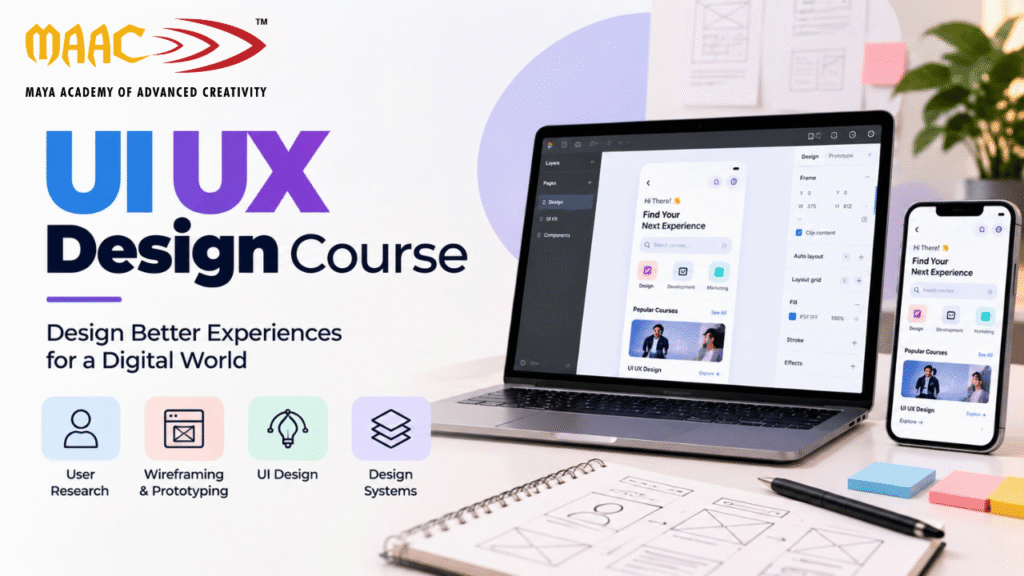
UI UX design refers to two related but distinct areas of digital product design: User Interface (UI) design and User Experience (UX) design.
Both contribute to creating digital products that are useful, understandable, and easy to navigate.
User Interface design focuses on the visual and interactive elements people use when interacting with a website, mobile application, or software product.
UI designers determine how interface elements look, how information is presented, and how users interact with buttons, menus, forms, icons, and other components.
UI design commonly involves:
Typography and font selection
Colour palettes
Buttons and form elements
Icons and visual assets
Spacing and alignment
Page layouts
Design systems
Responsive interface design
Interactive states
Visual consistency
For example, when designing a food delivery application, a UI designer may decide how restaurant cards appear, where the search bar is positioned, how prices are displayed, and how the checkout button looks.
The objective is to make the interface visually consistent, understandable, and easy to use.
User Experience design focuses on the overall experience people have when using a product or service.
UX designers investigate user needs, identify problems, organize information, plan user journeys, and test whether a design helps people accomplish their goals.
UX design may include:
User research
User interviews
Surveys
Personas
User journey mapping
Information architecture
User flows
Wireframing
Prototyping
Usability testing
Iterative design improvements
For example, a UX designer working on a food delivery application may investigate how users discover restaurants, compare options, select meals, make payments, and track orders.
The designer then identifies possible difficulties and develops solutions to improve the experience.
In simple terms, UX focuses on how a product works and feels to use, while UI focuses on how its interface looks and behaves.
Students interested in design, technology, and digital products may find UI UX a suitable career direction.
A structured UI UX course in Hyderabad can help beginners understand the design process and develop practical skills through guided projects.
A well-planned curriculum introduces design fundamentals, user research, wireframing, interface design, prototyping, and usability testing.
These skills can help students understand how digital products are planned and designed.
Practical assignments allow learners to apply concepts to websites, mobile applications, dashboards, and other digital interfaces.
Students can learn tools such as Figma and explore how designers create layouts, reusable components, interactive prototypes, and design systems.
Portfolio projects demonstrate a designer’s ability to understand problems and develop practical solutions.
UI UX skills can support applications for roles in UI design, UX design, product design, interaction design, and related fields, depending on experience and specialization.
UI UX design requires more than visual creativity. Students learn to examine user needs, organize information, consider accessibility, and make design decisions based on evidence.
When choosing a course, check whether it offers practical projects, constructive feedback, portfolio guidance, and opportunities to practise the complete design process.
UI UX design can be learned by beginners from different educational and professional backgrounds, subject to the eligibility requirements of the training provider.
It may be suitable for:
Students after completing 12th
College students and graduates
Aspiring web designers
Graphic designers
Web developers
Digital marketing professionals
Career changers
Freelancers
Entrepreneurs developing digital products
Professionals interested in product design
You do not necessarily need advanced coding knowledge to begin learning UI UX design.
Basic computer skills, curiosity, logical thinking, creativity, and a willingness to understand user behaviour are helpful starting points.
Students from engineering, commerce, arts, and other backgrounds can explore UI UX design. The most important step is developing relevant skills and demonstrating them through practical work.
A good UI UX course should help students develop both design skills and analytical thinking.
User research helps designers understand the people who will use a product.
Students may learn how to conduct interviews, prepare surveys, identify user needs, and organize research findings.
The purpose is to avoid making design decisions based only on personal assumptions.
Personas are research-informed representations of important user groups.
They can summarize user goals, behaviours, needs, and challenges.
Designers use personas to keep the target audience in mind throughout the design process.
A user journey map represents the steps a person takes while trying to accomplish a goal.
For example, the journey for an online shopping website might include discovering a product, comparing options, adding an item to the cart, paying, and tracking the order.
Mapping these steps helps designers identify confusion, unnecessary effort, and opportunities for improvement.
Information architecture focuses on organizing content and features in a clear, understandable structure.
It helps users find the information they need without navigating through unnecessary steps.
Wireframes are simplified representations of an interface.
They help designers plan the placement of headings, images, buttons, forms, and navigation before refining the visual appearance.
Prototypes demonstrate how a design may behave when users interact with it.
They can simulate navigation, buttons, transitions, and important task flows without requiring a fully developed application.
Usability testing involves observing users as they attempt to complete specific tasks.
Designers use the results to identify difficulties and make improvements.
UI UX students also learn visual principles such as typography, colour, spacing, contrast, hierarchy, alignment, and consistency.
These principles help make interfaces easier to understand and more visually effective.
Design tools support different stages of the design process. The tools included in a course will depend on its syllabus.
Figma is a widely used interface design and prototyping tool.
It supports collaborative design workflows and allows designers to create interfaces, reusable components, interactive prototypes, and design systems.
Students can use Figma to practise:
Website design
Mobile application design
Wireframing
Interactive prototyping
Components and variants
Auto Layout
Responsive layouts
Shared design libraries
Developer handoff
Learning Figma is a useful starting point for many aspiring UI UX designers.
FigJam supports collaborative brainstorming, flow diagrams, workshops, and visual planning.
It can be useful when organizing user research, creating user flows, and discussing design ideas.
Photoshop is primarily used for image editing and raster graphics.
It can support UI UX workflows when designers need to prepare or edit images and visual assets.
Illustrator is useful for vector illustrations, icons, and other scalable graphics that may be incorporated into digital interfaces.
Depending on the workflow, designers may also use usability testing platforms, documentation tools, analytics products, and collaboration software.
The goal is not to learn every available tool. Instead, focus on understanding the design process and becoming comfortable with the tools needed for your chosen projects.
A typical UI UX project moves through several stages. The exact workflow may vary depending on the product, team, timeline, and available research.
Start by identifying what needs to be improved and who experiences the problem.
For example, users may find it difficult to book an appointment through a clinic website.
Gather information about user needs, expectations, behaviours, and pain points.
Research may involve interviews, surveys, observations, or existing product feedback.
Summarize the most important problems and establish what the design needs to accomplish.
This helps keep the project focused.
Map the steps users take to complete important tasks.
For an appointment booking website, the flow might include selecting a service, choosing a date, entering personal details, and confirming the booking.
Create simplified layouts that focus on content, structure, and navigation.
At this stage, prioritize usability and information organization rather than decorative details.
Apply typography, colours, spacing, components, and other visual elements to develop the interface.
Connect screens and interaction states to demonstrate how users navigate through the product.
Observe users completing tasks, identify problems, and refine the design.
Organize design files, components, specifications, and relevant interaction details so developers can implement the interface more accurately.
Understanding this process helps students move beyond designing attractive screens and learn how to solve real user problems.
Before enrolling in a UI UX course in Hyderabad, review the syllabus to understand the depth of training provided.
A comprehensive beginner-level curriculum may include the following modules.
Module 1: Design Fundamentals
Principles of visual design
Typography
Colour theory
Spacing and alignment
Visual hierarchy
Accessibility fundamentals
Module 2: UX Research
Understanding users
Research planning
Interviews and surveys
Identifying pain points
User personas
Journey mapping
Module 3: User Flows and Wireframes
Information architecture
Navigation planning
User flows
Low-fidelity wireframes
Task-based design
Module 4: UI Design
Website interface design
Mobile application design
Responsive layouts
Design consistency
Components and variants
Module 5: Figma
Frames and layers
Auto Layout
Components
Interactive prototypes
Design libraries
Collaboration and handoff
Module 6: Usability and Accessibility
Usability principles
Basic accessibility considerations
Usability testing
Feedback and iteration
Module 7: Portfolio Development
Case study preparation
Design presentation
Explaining design decisions
Portfolio organization
Interview preparation
Not every course includes all these topics. Confirm the syllabus, practical hours, project requirements, and software coverage with the institute.
Practical projects help students understand how design principles work in real situations.
Design an application that allows users to explore restaurants, compare menu items, add meals to a cart, and complete an order.
You can demonstrate user flows, screen layouts, reusable components, and an interactive checkout prototype.
Create a website where users can browse products, filter search results, view product details, and complete a purchase.
Focus on navigation, product presentation, mobile responsiveness, and a clear checkout process.
Design a simple website that helps users discover services, select a doctor, choose a date, and request an appointment.
This project can demonstrate form design, information hierarchy, error prevention, and clear confirmation states.
Create a student dashboard that displays enrolled courses, learning progress, assignments, and upcoming sessions.
Focus on organizing information so users can quickly identify the most important details.
Design an application that helps users explore destinations, compare travel options, and review booking details.
This project can demonstrate search, filters, navigation, and decision-support interfaces.
For each project, document the problem, target users, research or assumptions, design process, wireframes, final screens, prototype, and lessons learned.
A smaller project with a clear problem-solving process can be more convincing than a large collection of screens without context.
A portfolio is one of the most important ways to demonstrate your abilities when applying for entry-level design opportunities.
Employers and hiring teams may want to understand how you approach problems, make decisions, work with constraints, and improve a design.
A case study explains the thinking behind a project rather than showing only the final interface.
It can include:
Project overview
Problem statement
Target users
Research findings
User flow
Wireframes
Design decisions
Final interface
Prototype
Testing and improvements
Lessons learned
Include selected early concepts, wireframes, iterations, and final screens.
This helps reviewers understand how your solution developed.
Explain why you selected a particular layout, navigation structure, interaction, or visual hierarchy.
Where possible, connect decisions to research findings or usability considerations.
Present a small number of well-developed projects rather than many incomplete designs.
If you design a website, show how it adapts to desktop, tablet, and mobile layouts where relevant.
Use clear project titles, concise descriptions, readable screenshots, and working prototype links where available.
Students can build portfolios using a personal website, a suitable portfolio platform, or a structured presentation of their case studies.
After developing the necessary skills and practical experience, students may explore several roles in digital product design.
Focuses on visual interface design, including typography, colour, spacing, components, and interface consistency.
Works on user research, task flows, information architecture, wireframes, and usability improvements.
Works across both user experience and interface design, depending on the company’s workflow and team structure.
Contributes to the design of digital products by combining user needs, business requirements, interface design, and product strategy.
The scope of this role varies significantly between organizations.
Focuses on how users interact with digital products, including transitions, feedback, controls, and interface behaviour.
Conducts and analyses user research to help product teams understand user needs and behaviour.
Dedicated research positions may require more specialized research experience.
Helps create and maintain reusable components, patterns, and design guidelines for consistent digital experiences.
Designs website layouts and interfaces. Some positions also involve website builders, content management systems, or basic front-end implementation.
The most appropriate role depends on your strengths, experience, portfolio, and the requirements of individual employers.
Hyderabad has a technology and business ecosystem that includes IT services, software development, startups, digital agencies, financial services, healthcare, education, and e-commerce.
Organizations developing websites, applications, and digital platforms may need design professionals to improve usability and interface quality.
Potential work environments include:
IT and software companies
Product-based technology companies
Startups
Digital design agencies
E-commerce businesses
Healthcare technology companies
Financial technology services
Education technology companies
Freelance and independent design services
These are potential employment areas, not a guarantee that every company has an open UI UX position.
When exploring opportunities, review current job descriptions and identify the skills employers request. Common requirements may include Figma, responsive design, prototyping, design systems, accessibility awareness, collaboration, and portfolio case studies.
Career growth often involves developing stronger problem-solving skills, improving design judgement, learning to work with developers and product managers, and gaining experience with real product constraints.
UI UX salaries vary depending on experience, employer, specialization, technical ability, portfolio quality, and market conditions.
Rather than relying on a single salary figure, review current job listings for entry-level and experienced roles in Hyderabad.
Compare job requirements such as:
Figma proficiency
UI design fundamentals
UX research
Prototyping
Responsive design
Design systems
Accessibility
Product collaboration
Portfolio quality
Entry-level candidates may begin in junior UI design, UX design, web design, or related positions, depending on their skills and the role.
With experience, designers may progress into senior design positions, product design, interaction design, design systems, or leadership roles.
Salary growth is not automatic. It depends on demonstrated skills, professional experience, the scope of responsibilities, and the employer.
Students sometimes compare UI UX with graphic design because both involve visual creativity.
However, their main objectives differ.
Graphic design focuses on communicating messages through visual assets such as logos, posters, brochures, packaging, and advertisements.
UI UX design focuses on making digital products useful, understandable, and easy to navigate.
Graphic design emphasizes typography, colour, composition, and visual communication. UI UX adds user research, task flows, wireframes, prototypes, usability testing, and interaction design.
Both fields use visual design principles, and graphic design experience can provide a useful foundation for UI design.
If you enjoy branding and promotional artwork, graphic design may suit you. If you enjoy solving user problems and designing digital experiences, UI UX may be a better direction.
Advanced coding skills are not always required for entry-level UI UX design roles.
Designers often use specialized tools to create interface layouts, prototypes, and design systems without writing production code.
However, understanding basic HTML, CSS, and responsive web concepts can help designers communicate with developers and understand technical constraints.
Coding knowledge may be particularly useful for designers working closely with front-end development teams or building interactive prototypes.
The priority for a beginner should be learning design fundamentals, user-centred thinking, interface design, prototyping, and portfolio development.
You can expand your technical skills as your career goals become clearer.
Selecting a suitable training institute requires more than comparing course fees or promotional claims.
Check whether the course includes research, wireframing, UI design, prototyping, usability testing, Figma, and portfolio projects.
Find out how much time is allocated to hands-on assignments and whether students work on complete projects.
Ask about the trainers’ design experience, teaching approach, and methods for providing feedback.
Look at examples of student case studies to understand the practical outcomes of the program.
Confirm whether students receive guidance on case studies, presentation, portfolio structure, and interview preparation.
Confirm class schedules, course duration, learning resources, and whether the program is available online, offline, or in a hybrid format.
Ask for clear information about fees, certification, career guidance, internships, and placement assistance.
Do not assume that completing a course guarantees employment. Focus on whether the program helps you develop demonstrable skills and a strong portfolio.
Figma is a valuable tool, but using it does not automatically make someone a skilled UI UX designer.
You also need to understand user needs, information architecture, interaction design, and visual principles.
A visually attractive interface can still be difficult to use.
Start by identifying user goals and the problems the product needs to solve.
Users should be able to complete important tasks without unnecessary confusion.
Consider navigation clarity, readable text, meaningful labels, error messages, and clear feedback.
Studying existing products can help you learn, but portfolio projects should demonstrate your own reasoning and design decisions.
Even small projects benefit from understanding the target audience and the context in which the product will be used.
Consider readable contrast, clear labels, keyboard navigation where relevant, and interface patterns that support different user needs.
A collection of attractive screens may not explain how you solve problems.
Document your process and explain why you made key decisions.
Students can follow a structured roadmap to develop their skills.
Step 1: Learn Design Fundamentals
Understand typography, colour, spacing, hierarchy, alignment, and visual consistency.
Step 2: Understand UX Principles
Learn user research, personas, journey mapping, information architecture, and usability.
Step 3: Learn Figma
Practise layouts, Auto Layout, components, variants, and interactive prototypes.
Step 4: Design Website and Mobile Interfaces
Create layouts for different screen sizes and interaction patterns.
Step 5: Complete Practical Projects
Work on an e-commerce website, a mobile application, or another realistic product concept.
Step 6: Test and Refine Your Designs
Identify usability issues, collect feedback, and improve your solution.
Step 7: Build Case Studies
Document the problem, process, design decisions, final screens, and outcomes.
Step 8: Prepare for Job Applications
Organize your portfolio, update your resume, practise presenting your work, and prepare for design interviews.
Step 9: Keep Learning
Study existing products, explore design systems, understand accessibility, and improve your ability to communicate with cross-functional teams.
Consistency and practical experience are essential to making progress.
A UI UX course teaches students how to research user needs, organize information, create wireframes, design interfaces, build prototypes, and evaluate usability.
Yes. Beginners can start with design fundamentals and gradually learn UX methods, interface design, Figma, and prototyping through practical assignments.
Figma is an important design tool, but professional UI UX work also requires user-centred thinking, visual design, usability knowledge, collaboration, and portfolio development.
UI focuses on the visual and interactive elements of an interface. UX focuses on the overall experience, including how users navigate a product and accomplish their goals.
You can begin learning UI UX after 12th, subject to the training provider’s eligibility requirements. Check the requirements of individual employers when planning your education and career path.
Coding is not mandatory for every UI UX role. Basic HTML and CSS knowledge can nevertheless help designers understand implementation constraints and communicate with developers.
Consider projects such as a food delivery application, e-commerce website, appointment booking platform, or education dashboard. Explain your design process and decisions in each case study.
Possible roles include UI designer, UX designer, UI UX designer, product designer, interaction designer, and web designer, depending on your skills and experience.
It can be a suitable career direction for people interested in digital products and problem-solving. Research current job openings to understand employer requirements and opportunities.
The learning period depends on your starting skills, course structure, practice time, and project complexity. Becoming job-ready generally requires consistent practice and a portfolio that demonstrates relevant skills.
A certificate can document course completion, but employers may also assess your portfolio, design reasoning, practical skills, and communication.
Compare the syllabus, practical training, Figma coverage, trainer support, portfolio projects, class format, and career guidance before enrolling.