The world of 3D content creation is changing rapidly. Games, films, animation, architecture, virtual production, simulation, interactive experiences, and immersive technologies are increasingly using real-time 3D workflows. One of the most widely recognized tools in this space is Unreal Engine.
For students and professionals searching for an Unreal Engine course in Hyderabad, learning the software can provide a pathway into several creative and technical areas, including game development, 3D environment creation, cinematics, virtual production, architectural visualization, simulation, and interactive experiences.
Unreal Engine is a real-time 3D creation platform developed by Epic Games. The platform is designed for creating interactive experiences and supports workflows across games, film and television, architecture, automotive, simulation, and other industries. Epic describes Unreal Engine as a real-time 3D creation tool and provides learning resources for beginners as well as specialized users.
For someone beginning their journey, Unreal Engine can initially appear complicated because it combines 3D environments, materials, lighting, animation, physics, visual scripting, cinematics, and programming. However, with a structured learning path, students can gradually progress from basic scene creation to complete interactive projects.
This article explains what an Unreal Engine course can teach, how Unreal Engine is used in gaming and virtual production, what skills students should develop, software and workflows they can explore, career opportunities, portfolio requirements, and how to start building a career in real-time 3D.
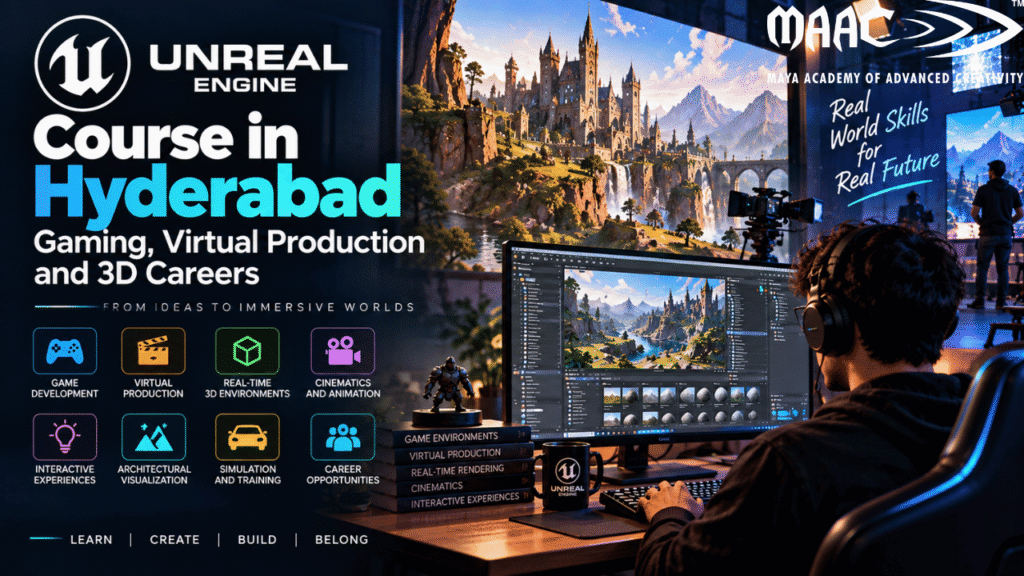
Unreal Engine is a real-time 3D creation platform used to build interactive digital experiences.
It is particularly well known for game development, but its applications extend considerably beyond gaming.
Projects created with Unreal Engine can involve:
The key idea behind real-time technology is that digital content can be created, modified, rendered, and viewed interactively rather than waiting for a lengthy offline rendering process.
For beginners, Unreal Engine provides different learning routes depending on whether they are interested in programming, design, or art. Epic’s official beginner documentation, for example, provides programmer, designer, and artist learning tracks while introducing users to projects, levels, Blueprints, assets, and packaging.
Unreal Engine continues to develop as a real-time 3D platform.
Epic released Unreal Engine 5.8 in June 2026, with updates focused on areas such as high-fidelity worlds, animated characters, vegetation, lighting, and rendering. Epic has also publicly discussed its longer-term roadmap toward Unreal Engine 6.
For students, this means learning Unreal Engine is not simply about learning a game-development application. It can introduce them to a broader real-time production workflow.
A student may start by creating a simple 3D game and later explore:
Epic’s education resources also describe Unreal Engine skills as relevant to areas including gaming, film, TV, fashion, automotive, architecture, and other 3D industries.
Hyderabad has a strong technology and creative-media ecosystem, making it a relevant city for students interested in digital design, animation, gaming, VFX, 3D visualization, and interactive technology.
However, choosing an Unreal Engine course in Hyderabad should involve more than simply looking at the course name.
Students should examine:
A good course should gradually take students from basic concepts to practical projects.
A comprehensive Unreal Engine course can cover several areas.
The first step is understanding the Unreal Editor.
Students can learn how to work with:
Epic’s official beginner documentation starts with installing Unreal Engine, creating a project, learning the editor interface and navigating the viewport.
Understanding the interface is important because almost every subsequent workflow depends on being comfortable inside the editor.
Levels are the spaces where interactive experiences take place.
Students can learn how to create:
The process can begin with simple shapes and gradually develop into detailed environments.
Students may learn how to arrange assets, create layouts, add lighting, define playable areas, and create an environment that supports a particular experience.
Unreal Engine is often used alongside dedicated 3D applications.
Assets can be created in tools such as:
These assets can then be imported into Unreal Engine.
Examples include:
Understanding the asset pipeline is an important skill because professional real-time projects often involve assets created outside the engine.
Materials define how surfaces appear inside a 3D environment.
Students can learn about:
For example, a basic 3D object can be transformed into a realistic metal asset by applying appropriate textures and material properties.
Unreal Engine’s real-time workflow allows students to see material changes interactively while developing a scene.
Lighting is one of the most important aspects of real-time environment creation.
Students can experiment with:
Lighting can completely change the mood of an environment.
The same 3D scene can feel:
Learning lighting is therefore useful for both game development and virtual production.
ne of Unreal Engine’s important features is Blueprint Visual Scripting.
Blueprints allow developers and designers to create gameplay and interactive logic visually.
Beginners can use Blueprints to create systems such as:
Epic’s beginner documentation specifically includes Blueprints in its designer learning track, where learners can build gameplay and prototype levels using visual scripting.
This makes Blueprints especially useful for students who want to explore game design and interactive development without immediately writing large amounts of traditional code.
Unreal Engine also supports C++ development.
Students who want to become programmers can gradually learn:
Not every Unreal Engine career requires advanced C++.
For example:
A game artist may focus primarily on assets, materials and environments.
A level designer may use Blueprints extensively.
A gameplay programmer may need deeper C++ knowledge.
A technical artist may combine art, Blueprints and scripting.
Therefore, the required programming level depends on the student’s intended specialization.
Gaming remains one of the most important applications of Unreal Engine.
Students can use Unreal Engine to create:
Epic’s current beginner resources include a practical first-person adventure workflow and a beginner project that introduces levels, Blueprints, pickups, UI and packaging.
Game mechanics determine how players interact with the game.
Students can learn how to create:
For example, a beginner project might involve a player exploring an environment, collecting objects and reaching a final objective.
A project like this can teach several Unreal Engine concepts simultaneously.
Level design focuses on creating playable spaces.
A level designer needs to think about:
Students can start by creating simple graybox levels using basic shapes.
Once the gameplay layout works, they can replace the placeholder objects with detailed environments.
This workflow helps students understand that a visually beautiful environment is not automatically a good game level.
Unreal Engine is also used to create cinematic content.
Students can explore:
A cinematic project could involve creating a short scene featuring:
This can become a valuable portfolio project for students interested in film, animation, VFX or virtual production.
Virtual production combines physical production techniques with digital environments and real-time technology.
Epic describes virtual production as a workflow that joins the digital and physical worlds in real time. It can involve filmmaking, broadcast, animation, live events and other media applications.
Virtual production can include workflows such as:
This makes Unreal Engine particularly relevant to students interested in film and television production
One of the areas associated with modern virtual production is LED-stage production.
A digital environment can be displayed on large LED screens while actors perform in front of the virtual environment.
The digital background can be rendered in real time and interact with the physical production.
This creates a workflow where physical and digital elements can be combined during production.
Students interested in this field can learn about:
Epic’s virtual-production education guidance identifies areas such as on-set lighting, virtual design, stage operations, performance capture and camera tracking as important subjects for students.
Unreal Engine skills can be applied to multiple 3D career paths.
Creates visual assets for games.
Creates environments such as:
Creates playable spaces and gameplay layouts.
Works between art and technology.
Creates real-time cinematic sequences.
Works with real-time environments and virtual production workflows.
Creates interactive real-time visualizations.
Unreal Engine is also used in architecture and design visualization.
Epic’s architecture resources describe workflows where users can create immersive designs and explore them in lifelike detail before construction.
This can be useful for:
A student with a background in architecture or interior design can therefore use Unreal Engine to add real-time and interactive skills to their existing expertise.
Real-time 3D technology can also be used for simulations.
Possible applications include:
Epic’s educational resources describe Unreal Engine as relevant to fields such as architecture, training simulation, extended reality and games.
This demonstrates why learning Unreal Engine can open pathways beyond conventional game development.
Learning the software is important, but students should also develop complementary skills.
Understand:
Learn:
Learn fundamental programming logic.
Real-time projects involve technical challenges that require troubleshooting.
This is especially valuable for:
Professional projects involve multiple specialists.
A strong Unreal Engine workflow may involve several additional tools.
Useful for:
Useful for:
Useful for:
Useful for:
Useful for:
Learning Unreal Engine alongside relevant 3D tools can help students understand the complete asset pipeline.
A beginner can follow a structured progression.
Learn:
Learn:
Learn:
Create a small playable project.
Learn:
Choose one:
Build several polished projects and present them professionally.
Practical projects are essential for developing real skills.
Create an explorable environment.
Include:
Create a small puzzle game.
Features can include:
Create a short cinematic featuring:
Create an interactive building or interior.
Users should be able to explore the environment.
Create a short virtual scene designed around cinematic storytelling.
This can demonstrate:
Game design can be suitable for students from different educational backgrounds.
You may consider this field if you are:
You don’t necessarily need to be an expert gamer.
Being interested in games can help, but professional game design requires much more than playing games. You need to understand why a game works, how its visual assets are created, how players interact with it, and how those assets are integrated into a real-time environment.
Before enrolling, don’t choose a course based only on the course title.
Check the curriculum carefully.
Look for practical exposure to engines such as:
Check whether the course includes:
Ask how many projects students complete during the program.
Projects are important because they become portfolio pieces.
A good training program should help you understand how to present your work professionally.
Check whether the curriculum includes relevant tools for your intended specialization.
Current programs in the game-design space commonly combine tools such as Maya, 3ds Max, Substance 3D Painter, ZBrush, Unity and Unreal Engine.
A portfolio is extremely useful when applying for creative or technical positions.
Instead of simply listing:
“Unreal Engine – Advanced”
show what you built.
For every project, consider including:
Explain the goal.
Mention the tools used.
Show:
Include:
Explain important systems you developed.
For example:
Blueprints: Player interaction and door system
Lighting: Real-time environment lighting
UI: HUD and menu system
Animation: Character movement
This demonstrates practical knowledge.
The career possibilities depend on specialization, portfolio, experience and additional skills.
Potential roles include:
Epic’s student resources specifically highlight career opportunities across gaming, animation, virtual production and other real-time creative industries.
Students should remember that learning Unreal Engine alone does not guarantee employment. Employers typically look for a combination of software knowledge, practical skills, portfolio quality, problem-solving ability and relevant experience.
Not every Unreal Engine career requires the same level of programming.
There are broadly different paths.
Focus on:
Focus on:
Focus on:
Combine:
Choosing a direction early can help students build a more focused portfolio.
Unreal Engine also provides educational resources for students and schools.
Epic states that Unreal Engine is available for students and schools for educational use and provides resources including tutorials, documentation, sample projects and career guidance.
In June 2026, Epic also announced free professional Unreal Engine courses through the Epic Developer Community, covering areas ranging from foundational concepts to advanced C++ and specialized industry tracks.
This means students can supplement classroom training with official learning resources.
There is no universal timeframe for mastering Unreal Engine.
The software covers a large range of skills, and the time required depends on the student’s goal.
Someone interested in environment art may spend more time on:
A programmer may spend more time on:
A virtual production learner may focus on:
The best approach is progressive learning.
Start with the fundamentals, build a small project, identify your interests, and then specialize.
Before enrolling in an Unreal Engine course in Hyderabad, consider these factors.
Check whether the course covers the areas you actually want to learn.
Ask how many complete projects students create.
For game design and interactive development, Blueprint training can be highly useful.
Check whether students learn how to import and optimize external 3D assets.
If you’re interested in film or virtual production, check whether Sequencer and cinematic workflows are included.
Look for a course that encourages students to build portfolio-ready projects.
Understand the trainers’ experience and specialization.
Check which supporting applications are included.
Ask whether the institute provides portfolio reviews, interview preparation or other career support.
The importance of real-time 3D extends beyond traditional gaming.
Unreal Engine’s official resources currently cover applications including:
Its virtual-production resources describe real-time workflows across film, television, animation, broadcast and live events.
Its architecture resources highlight immersive visualization and the ability to explore designs before construction.
For students, this broader ecosystem creates opportunities to develop transferable real-time 3D skills.
An Unreal Engine course teaches students how to use Unreal Engine for real-time 3D development. Depending on the curriculum, it can include game development, Blueprints, 3D environments, materials, lighting, animation, cinematics and virtual production.
Yes. Epic provides dedicated beginner resources that introduce users to the editor, project creation, levels, Blueprints, assets and packaging.
Not necessarily. Beginners can start with the visual Blueprint system. However, students targeting programming roles should develop C++ skills as well.
Yes. Game development is one of Unreal Engine’s major applications.
Yes. Unreal Engine is used in virtual production and cinematic workflows.
Virtual production combines physical and digital production using real-time technology. It can involve virtual environments, previsualization, in-camera VFX, virtual scouting, live compositing and other workflows.
Yes. Unreal Engine provides dedicated architecture workflows for immersive design visualization and interactive experiences.
Depending on the workflow, artists may use applications such as Maya, 3ds Max, Blender, ZBrush, Substance 3D Painter and Photoshop alongside Unreal Engine.
Potential career directions include game development, environment art, level design, technical art, cinematics, virtual production, real-time visualization, architecture visualization, XR and simulation.
Yes. A portfolio provides evidence of your practical skills and shows employers what you can actually create.
Yes. Epic identifies applications across areas including film, television, architecture, automotive, simulation, XR and other real-time 3D industries.