What Makes A Good Animation
What Makes Good Animation? A Complete Guide for Beginners & Professionals Join Course Introduction: Why Animation Matters More Than Ever Animation is everywhere. From the YouTube video you watched this morning to the Netflix series you binged last weekend — from brand explainer videos on Instagram to billion-dollar Pixar films — animation has become one of the most powerful forms of communication in the digital age. But here’s the question that separates average animators from great ones: what makes good animation? It’s not just about smooth movement or flashy visuals. Good animation tells a story, triggers emotion, and keeps an audience locked in — whether it’s a 15-second ad or a 2-hour feature film. In this complete guide, we’ll break down every element that goes into creating exceptional animation — from core principles and character design to sound, software, and career opportunities. Whether you’re a beginner exploring your first animation course or a seasoned professional sharpening your animation skills, this guide is built for you. What Is Animation? A Quick Overview At its core, animation is the art of creating the illusion of movement by displaying a sequence of images or frames in rapid succession. The human eye perceives this sequence as fluid motion — that’s the magic. Animation spans across multiple formats: 2D Animation: Traditional frame-by-frame or digital (think classic cartoons) 3D Animation: Computer-generated characters and environments (Pixar, game cinematics) Motion Graphics: Animated text, shapes, and data visuals Stop Motion: Physical objects photographed frame by frame VFX Animation: Visual effects integrated into live-action footage Each style has its own techniques, but all great animation shares a common set of qualities and that’s exactly what we’re here to explore. 1. Strong Storytelling: The Soul of Good Animation No amount of technical skill can save a story that’s boring. The most visually stunning animation will fall flat if the audience doesn’t care about what’s happening. Storytelling is the foundation of what makes good animation truly memorable. Think about Spider-Man: Into the Spider-Verse. Its animation was groundbreaking — but what made audiences cry and cheer was the story of a kid trying to find his place in the world. How to Build a Strong Narrative in Animation Define your core message: What do you want the audience to feel or understand? Create conflict and resolution: Even in a 60-second ad, there should be a problem and a solution Build emotional connection: Characters should feel relatable, not just visually appealing Use visual storytelling: Show, don’t tell; let the animation communicate without over-explaining Whether you’re working on a short film, a brand video, or a social media reel story first, everything else second. 2. The 12 Principles of Animation Every Animator Must Know Originally developed by Disney animators Ollie Johnston and Frank Thomas, the 12 principles of animation remain the gold standard for animation techniques across industries. Here are the most critical ones: Key Principles Explained Squash & Stretch — Giving weight and flexibility to objects. A bouncing ball squashes on impact and stretches mid-air — this sells physical realism. Anticipation — The preparation before an action. A character bends their knees before jumping. This makes movement feel intentional and believable. Timing — The number of frames used for an action controls its speed and weight. Fewer frames = faster movement. More frames = slower, heavier motion. Ease In / Ease Out — Objects naturally accelerate and decelerate. Avoiding this makes animation feel robotic and stiff. Follow Through & Overlapping Action — Parts of a character continue moving after the main action stops (like hair or clothing). This adds life and realism. Exaggeration — Pushing actions slightly beyond reality to emphasize emotion or comedy. Appeal — Every character and frame should be engaging and pleasant to look at. Mastering these principles is non-negotiable for anyone serious about learning animation. 3. Smooth Motion & Timing: The Difference Between Amateur and Pro One of the clearest signs of poor animation? Stiff, robotic movement. Smooth motion comes from understanding frame rate and in-betweening. Most professional animation runs at 24 frames per second (fps) for film, while web and game animation often runs at 30 or 60 fps. Animation Tips for Beginners on Motion Don’t skip in-betweens — they’re what make movement feel fluid Use graph editors in your software to control easing Study real-world movement references before animating Avoid constant speed — vary the rhythm to create natural flow Even the smallest twitch of a character’s finger, when timed correctly, can communicate more than a line of dialogue. 4. Character Design & Visual Appeal Audiences fall in love with characters, not scenes. A well-designed character is instantly recognizable, visually consistent, and emotionally expressive. Think of the simplicity of Gru from Despicable Me or the bold design of Arcane‘s characters — each choice in shape, proportion, and expression is deliberate. What Makes Great Character Design Silhouette clarity — Your character should be recognizable in shadow alone Consistent proportions — Across all scenes, angles, and expressions Expressive facial range — Can the character convey anger, joy, fear, and surprise convincingly? Personality through design — Round shapes feel friendly; sharp angles feel threatening Character design is a core animation skill that takes time to develop — but it’s one of the highest-value skills in the industry. 5. Color Psychology & Visual Style in Animation Color isn’t decoration — it’s communication. In animation, color sets the mood before a single character speaks. Dark blues and greys signal danger or sadness. Warm oranges and yellows feel energetic and hopeful. Muted, desaturated palettes suggest a grounded, realistic world. Using Color Effectively Define a limited color palette for each project and stick to it Use contrast to draw attention to key elements Ensure your style is consistent across all scenes — jarring color shifts break immersion Study the color scripts of films like Coco or Inside Out to see intentional color storytelling in action Your visual style — whether it’s flat 2D, painterly, or hyper-realistic 3D — should feel cohesive from the first frame to the last. 6. Sound Design & Music: The Invisible Half of Animation Close your eyes during a great animated scene. The music, sound effects, and voice acting still tell the story. Sound and animation
Latest Techniques Of Multimedia
Latest Techniques of Multimedia: Trends, Tools & Career Opportunities in 2026 Join Course Introduction Multimedia has transformed the way we consume content today. From social media videos and animated ads to films and gaming, multimedia plays a crucial role in digital communication. With rapid technological advancements, staying updated with the latest techniques of multimedia is essential for students, professionals, and businesses. If you are looking to build a career in this field, enrolling in the best multimedia course in Hyderabad can help you gain industry-relevant skills. Institutes like MAAC Kukatpally (also known as MAAC KPHB) are leading the way in training students with modern multimedia techniques. The multimedia industry is constantly evolving. Traditional editing and animation methods are no longer enough. Modern tools and techniques help creators produce high-quality, engaging content. What Is Animation? A Quick Overview At its core, animation is the art of creating the illusion of movement by displaying a sequence of images or frames in rapid succession. The human eye perceives this sequence as fluid motion — that’s the magic. Animation spans across multiple formats: 2D Animation: Traditional frame-by-frame or digital (think classic cartoons) 3D Animation: Computer-generated characters and environments (Pixar, game cinematics) Motion Graphics: Animated text, shapes, and data visuals Stop Motion: Physical objects photographed frame by frame VFX Animation: Visual effects integrated into live-action footage Each style has its own techniques, but all great animation shares a common set of qualities and that’s exactly what we’re here to explore. 1. Motion Graphics & Kinetic Typography Motion graphics have become essential in marketing and branding. What it includes: Animated text (kinetic typography) Infographics Social media ads Why it matters: Grabs attention quickly Improves engagement rates Tools used: Adobe After Effects Premiere Pro Students at MAAC Kukatpally are trained in creating professional motion graphics for real-world projects. 2. 3D Animation & CGI (Computer Generated Imagery) 3D animation is widely used in movies, gaming, and advertisements. Applications: Animated films Product visualization Gaming characters Key Software: Autodesk Maya Blender This is a core part of any best multimedia course in Hyderabad. 3. Visual Effects (VFX) VFX is one of the most exciting areas in multimedia. Techniques include: Green screen compositing Rotoscoping Matchmoving Industries using VFX: Films OTT platforms Advertising Institutes like MAAC KPHB provide hands-on VFX training with industry-standard tools. 4. UI/UX Design & Interactive Media Modern multimedia is not just about visuals—it’s about user experience. Key concepts: User interface design User experience optimization Interactive animations Tools: Figma Adobe XD UI/UX is becoming a must-have skill for multimedia professionals. 5. Video Editing & Post-Production Artificial Intelligence is changing how multimedia content is created. AI applications: Automated video editing AI-generated animations Voice synthesis Learning AI tools gives you a competitive edge 6. Augmented Reality (AR) & Virtual Reality (VR) AR and VR are revolutionizing multimedia. Applications: Gaming Education Virtual tours Marketing experiences These technologies are shaping the future of multimedia careers. 7. AI in Multimedia Video editing remains one of the most in-demand multimedia skills. Latest techniques: Seamless transitions Color grading AI-assisted editing Software: Adobe Premiere Pro DaVinci Resolve Students enrolled in the best animation course in Hyderabad learn advanced editing techniques to create professional-quality videos. 8. 2D Animation & Digital Illustration Despite new technologies, 2D animation is still widely used. Uses: Explainer videos Cartoon animation Educational content Tools: Adobe Animate Toon Boom
Latest Trends Of Animation
Latest Trends in Animation 2026: A Complete Guide for Creators, Students & Professionals Join Course Introduction: Animation Is Evolving Faster Than Ever And It’s Only Getting Started Every scroll, every stream, every brand campaign you see today has one thing in common animation is everywhere. From the motion graphics in a 15-second Instagram reel to the breathtaking VFX in a Netflix original, from an explainer video on a startup’s landing page to an immersive VR experience you can step inside animation has quietly become the most versatile storytelling tool of the digital age. And in 2026, it’s going through its most exciting transformation yet. Video content is expected to make up 82% of all internet traffic in 2026. That’s not just a statistic — that’s a creative opportunity of enormous proportions. Whether you’re an animator, a brand, a content creator, or a student building your skills, understanding where animation is heading isn’t optional anymore. It’s the difference between work that connects and work that gets scrolled past. So what are the animation trends shaping 2026? What’s driving them? And what do they mean for how you create, market, and grow? This complete guide covers everything from AI workflows and hybrid styles to handcrafted revivals, real-time rendering, and career opportunities emerging from these shifts. The State of Animation in 2026: A Quick Picture Before diving into individual trends, here’s where the industry stands: The global animation market is projected to grow at over 5% CAGR, reflecting strong investment in visual storytelling across digital platforms. Compared to live-action production, 2D animation often reduces production costs by 25–40% while maintaining full creative control.That cost advantage, combined with rising demand, is driving businesses of all sizes to invest in animation like never before. In 2026, AI is accelerating production workflows, VR is enabling immersive storytelling, and 3D animation continues to push realism and stylistic depth giving animators greater creative freedom and allowing audiences to engage more deeply with animated worlds. Let’s unpack each major trend one by one. Trend 1: AI-Assisted Workflows The Creative Accelerator No trend in animation is more talked about, more debated, or more misunderstood than artificial intelligence. Let’s cut through the noise. AI in 2026 is not replacing animators. It’s reshaping how they work. AI has evolved from being a simple editing helper to a true creative partner, now supporting every stage of production from concept and storyboarding to editing and video generation. In 2026, AI acts less as a replacement for artists and more as a workflow accelerator. It helps with simulation previews using machine learning to approximate complex simulations like smoke, fire, and water before final refinement and supports asset management, tracking, and versioning across pipelines. What AI Is Actually Doing in Animation Studios Automating lip-syncing and in-between frame generation Suggesting camera angles and scene composition during pre-production Speeding up motion graphics, layout changes, and versioning Generating character expressions based on dialogue context The Human Factor Still Wins While AI is being implemented by most companies in some capacity, 82.1% of people can still spot AI-generated content — which means relying entirely on AI isn’t an effective strategy. The strongest workflows treat AI as a collaborator, not a creative director. In 2026, the most compelling animation is not automated — it’s guided, shaped, and authored by humans using technology with intention. The takeaway? Learn to work with AI tools. But never outsource your creative voice to them. Trend 2: Hybrid 2D/3D Animation The New Visual Language The debate of “2D vs. 3D” is officially over. In 2026, the most exciting work lives in the space between them. The mixture of 2D and 3D animation is creating a bold, hybrid visual language that’s defining animation trends in 2026. Studios are merging 2D-style textures with 3D models, or layering hand-drawn elements over digital scenes to create a fresh, stylized universe. Hybrid animation throws out the rulebook and blends techniques to create something entirely new and visually striking including 2D characters in 3D environments, 3D models with 2D textures, cel-shading 3D models to appear more stylized, and 2D effects layered over 3D animation like hand-drawn sparks or explosions. Think of the visual charm of vintage cartoons colliding with the depth of next-generation 3D rendering. That’s the aesthetic that’s winning audiences in 2026 and it’s being adopted by brands, studios, and independent creators alike. As tools like Spline and Blender become more accessible, more teams experiment with 3D in smaller, more flexible ways, lowering the barrier to entry so creators can explore dimensional motion without heavy production overhead. Trend 3: The Handcrafted Revival Imperfection Is the New Luxury Here’s the most surprising animation trend of 2026: in a world flooded with slick AI-generated visuals, rough edges are winning. In 2026, hand-drawn animation, visible frames, texture, and subtle wobble are used to signal authenticity, not roughness. As AI-generated visuals and templates flood feeds, polish has become predictable and designers are responding by reintroducing the human touch and pushing back against hyper-perfection. Imperfect motion feels alive. And in a world where anything can be automated, that sense of humanity is the real luxury. This is showing up across brand animation, social media content, and indie film — anywhere that audiences are craving something that feels genuinely made by human hands. Stop-motion is experiencing a revival for exactly this reason. Stop-motion animation has a charm and texture that digital simply can’t fake. There’s something about knowing those characters and scenes were physically built by human hands that creates an emotional connection that resonates deeply with audiences. Trend 4: Real-Time Rendering and Virtual Production Real-time rendering has crossed from the gaming world into professional animation studios and it’s changing everything about production speed and collaboration. With tools like Unity and Unreal Engine, animators can see an entire scene live, adjust lights on the fly, and try out virtual camera angles in seconds. Not only is it quicker it’s more collaborative and more iterative. Real-time rendering has moved far beyond games. Virtual production is
Future Of Animation
The Future of Animation in 2026 and Beyond Join Course Introduction Animation is no longer just about cartoons or entertainment—it has become one of the most powerful tools shaping digital experiences across industries. From blockbuster films and OTT platforms to gaming, advertising, and virtual reality, animation is driving innovation everywhere. As we move into 2026 and beyond, the animation industry is undergoing a massive transformation fueled by technology, creativity, and global demand. If you are planning to build a career in animation, understanding its future is essential. In this article, we will explore the future of animation, emerging trends, career opportunities, and how learning from institutes like MAAC KPHB can help you stay ahead in this competitive field. Students gain real-world experience, which is essential to succeed in the competitive animation industry. Why Animation is the Future The global demand for animation is growing rapidly due to the explosion of digital content. Businesses, creators, and brands are constantly looking for engaging visuals to capture audience attention. Key Reasons for Growth: Rise of OTT platforms like Netflix, Prime Video Growth of YouTube and content creators Expansion of gaming industry Demand for digital marketing content Use of animation in education and training Animation is no longer optional—it’s a necessity for communication, branding, and storytelling. 1. AI-Powered Animation Artificial Intelligence is revolutionizing animation workflows. Tasks that once took hours can now be completed in minutes. What AI Can Do: Auto character rigging Motion tracking and lip-sync Background generation Scene enhancement AI tools are helping animators focus more on creativity rather than repetitive technical work. At MAAC KPHB, students are introduced to modern workflows that combine creativity with emerging technologies like AI. 2. Real-Time Rendering & Game Engines Game engines like Unreal Engine and Unity are changing how animation is produced. Benefits: Faster production time Real-time previews High-quality cinematic output Real-time rendering is widely used in: Film production Virtual sets Gaming and simulations This trend is making animation production faster and more efficient than ever before. 3. Rise of Virtual Production Virtual production combines real-world filming with digital environments. Where It’s Used: Movies Web series Advertising Instead of shooting on physical locations, creators use LED screens and 3D environments. This reduces cost and increases flexibility in filmmaking. 4. Growth of AR, VR & Metaverse The future of animation is deeply connected with immersive technologies. Applications: Virtual Reality (VR) games Augmented Reality (AR) apps Metaverse experiences Animation is the backbone of these technologies, creating interactive and engaging digital worlds. 5. Demand for Motion Graphics & Short Content Short-form content is dominating platforms like Instagram, YouTube Shorts, and TikTok. Why Motion Graphics Are Growing: Easy to consume Highly engaging Perfect for marketing Brands are investing heavily in animated ads, explainer videos, and social media content. Students at MAAC KPHB learn motion graphics tools like After Effects and Cinema 4D to meet this growing demand. Career Opportunities in the Future of Animationr With the industry expanding, career opportunities are also increasing. Popular Job Roles: 3D Animator VFX Artist Motion Graphics Designer Game Designer Video Editor Compositor Industries Hiring Animators: Film & OTT platforms Gaming companies Advertising agencies Digital marketing firms EdTech companies Animation professionals are now needed across multiple sectors, not just entertainment. Career Opportunities in Animation The animation industry is growing faster than most people realize. Here’s where the demand is: In-House & Studio Roles 2D/3D Animator Motion Graphics Designer Character Designer Storyboard Artist VFX Artist Freelancing & Digital Economy YouTube animation channels Brand explainer video production Social media content creation Online animation courses and tutorials Game animation and mobile app design With platforms like Fiverr, Upwork, and YouTube monetization, skilled animators can build six-figure freelance businesses. The demand for quality animation skills has never been higher. Enroll now or book a free demo class today!
Top 5 Required Softwares To Learn Animation
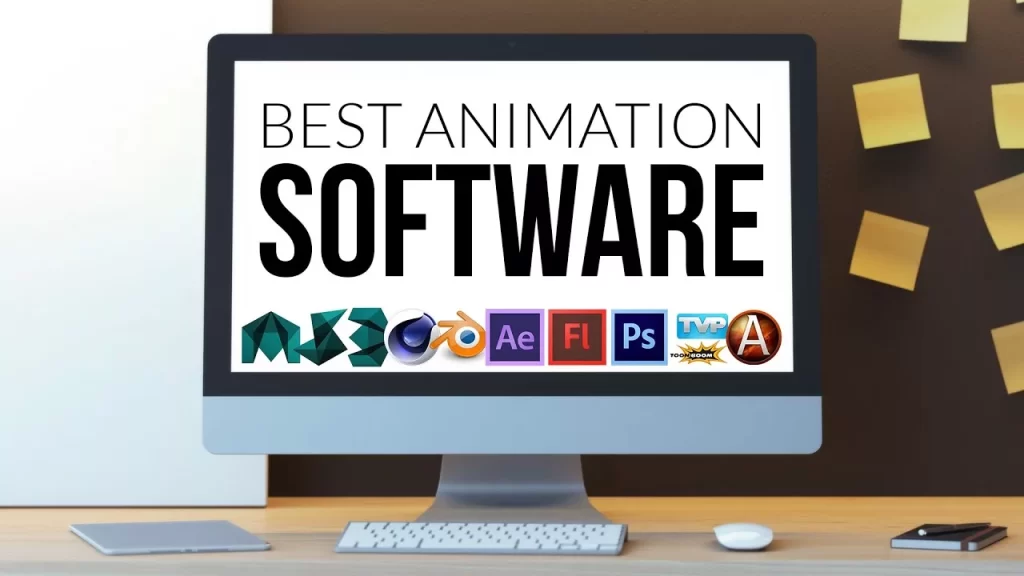
Top 5 Required Software for Animation in 2026 Join Course Introduction The animation industry has transformed dramatically over the past decade, evolving from simple 2D cartoons to highly advanced 3D visuals, cinematic VFX, and immersive digital experiences. In 2026, animation is no longer limited to movies and television it plays a crucial role in gaming, advertising, social media content, virtual reality (VR), augmented reality (AR), and even corporate presentations. With platforms like YouTube, OTT services, and digital marketing channels growing rapidly, the demand for skilled animators is at an all-time high. However, becoming a successful animator is not just about creativity or imagination. While storytelling and artistic skills are important, the real power lies in mastering the right animation software. These tools are what transform ideas into visually stunning outputs. Whether it’s creating lifelike characters, designing motion graphics, or producing high-end visual effects, professional animation software forms the backbone of the entire production process. For beginners, choosing the right software can feel overwhelming. There are dozens of tools available, each designed for different purposes such as 3D animation, 2D animation, motion graphics, or VFX. Without proper guidance, many students waste time learning tools that are either outdated or not relevant to industry demands. This is why understanding the most important and industry-required animation software is the first step toward building a successful career. Why Learning Animation Software is Important Before diving into the tools, let’s understand why animation software matters. Animation is not just about creativity it’s about execution. Professional software helps you: Create realistic characters and environments Produce high-quality visual effects Work on industry-level projects Get job-ready skills Studios today demand professionals who are skilled in multiple tools. Learning industry-standard software increases your chances of getting hired in: Film industry Gaming studios Advertising agencies YouTube content creation Freelancing & remote work According to industry insights, animation and VFX professionals are in high demand across entertainment, gaming, and digital media sectors. Moreover, learning these tools from a reputed training institute can make a significant difference. Institutes like MAAC KPHB focus on industry-oriented training, helping students gain hands-on experience with real-world projects rather than just theoretical knowledge. This practical exposure ensures that students are job-ready and confident in using professional tools required by studios and companies. Another important factor to consider is the career scope of animation software skills. Professionals trained in tools like Autodesk Maya, Adobe After Effects, Blender, Toon Boom Harmony, and Cinema 4D can explore multiple career paths, including 3D animation, VFX, video editing, motion graphics, and game design. These roles are not only creatively satisfying but also offer excellent earning potential, especially as the demand for digital content continues to rise globally. In this article, we will explore the top 5 required software for animation in 2026, their features, industry applications, and why mastering these tools is essential for anyone looking to build a successful career in animation. Wheth 1. Autodesk Maya – Industry Standard Software Autodesk Maya Autodesk Maya is considered the gold standard in 3D animation. It is widely used in Hollywood movies, AAA games, and high-end VFX projects. Key Features: Advanced 3D modeling and sculpting Character rigging and animation Realistic rendering with Arnold Simulation of hair, cloth, and fluids Maya is known for its powerful tools that allow animators to create realistic characters and environments. It is used in major film productions and gaming studios worldwide. Why You Should Learn Maya: High demand in studios Best for professional animation careers Essential for film and gaming industry At MAAC KPHB, students receive hands-on training in Autodesk Maya, preparing them for real-world production environments. 2. Adobe After Effects – Motion Graphics & VFX Adobe After Effects Adobe After Effects is the go-to software for motion graphics, compositing, and visual effects. Key Features: Motion graphics design Video compositing Visual effects creation Integration with Adobe Creative Cloud This software is widely used in: YouTube videos Advertisements Film post-production Its seamless integration with tools like Photoshop and Premiere Pro makes it extremely powerful for creative professionals. Why You Should Learn After Effects: High demand in digital marketing Perfect for content creators Essential for VFX and editing At MAAC KPHB, students learn practical motion graphics projects using After Effects to build strong portfolios. 3. Blender – Free & Powerful Animation Tool Blender Blender is one of the most popular free and open-source animation software available today. Key Features: 3D modeling and sculpting Animation and rigging Rendering and compositing Video editing Blender offers a complete animation pipeline and is widely used by freelancers and beginners due to its accessibility and powerful features. Why You Should Learn Blender: Free to use Beginner-friendly Strong community support Many students at MAAC KPHB start with Blender to understand animation basics before moving to advanced tools like Maya. 4. Toon Boom Harmony – Best for 2D Animation Toon Boom Harmony Toon Boom Harmony is a leading software for 2D animation, used by top studios like Disney and Cartoon Network. Key Features: Frame-by-frame animation Rig-based animation Advanced drawing tools Visual effects integration It is widely used in: Cartoon production TV animation Web series Harmony supports both traditional and modern animation workflows, making it a must-learn for 2D animators. Why You Should Learn Toon Boom: Best for cartoon animation Industry-standard for 2D High demand in studios At MAAC KPHB, students get practical exposure to 2D animation pipelines using Toon Boom Harmony. 5. Cinema 4D – Motion Graphics & Design Cinema 4D is known for its ease of use and powerful motion graphics capabilities. Key Features: Easy-to-use interface Mograph tools for motion design 3D modeling and rendering Integration with After Effects It is widely used in: Advertising Broadcast graphics Social media content Cinema 4D is especially popular among designers and content creators for creating visually appealing animations. Why You Should Learn Cinema 4D: Ideal for beginners in 3D Best for motion graphics High demand in advertising industry Students at MAAC KPHB learn Cinema 4D to create professional-level motion graphics and branding content. How MAAC KPHB Helps You Master Animation Software Choosing the right institute is just as important as choosing the right software.
Trends Of Animation Field In Asia
Trends Of Animation Field In Asia Join Course Introduction The animation industry has become an important part of Asia’s creative and entertainment economy. From animated films and television content to gaming, advertising, digital media, OTT platforms, education, and immersive experiences, animation is being used across a wide range of industries. Asian countries have developed strong creative and production ecosystems, creating opportunities for animators, 3D artists, VFX artists, game designers, motion graphics designers, and other digital-media professionals. For students interested in animation, understanding the changing industry can help them identify the skills, technologies, and career paths that are becoming increasingly important. What Is the Animation Industry? The animation industry involves the creation of moving visual content using drawings, digital graphics, 3D models, characters, environments, visual effects, and other creative techniques. Animation can be used in: Animated films Television series OTT content Video games Advertising Social media Explainer videos Educational content Product visualization Virtual reality Augmented reality Digital marketing Virtual production Modern animation is no longer limited to traditional cartoons. It has become part of a much broader digital-content ecosystem. 1. Growth of 3D Animation 3D animation continues to be one of the most important areas of modern animation. 3D artists can create characters, environments, products, creatures, props, and complete digital worlds. 3D animation is used across: Films Gaming Advertising OTT content Product visualization Virtual experiences Educational media For students planning an animation career, understanding 3D modelling, texturing, lighting, rigging, and animation can provide a strong foundation. 2. Expansion of Animation for Gaming The growth of the gaming industry has created demand for animation and 3D content. Game artists and animators may work on: Characters Environments Props Character animation Cinematics Visual effects Game assets Interactive experiences This has also created opportunities for learners who want to combine animation with gaming design. 3. Animation and VFX Are Becoming Closely Connected Modern productions often combine animation, visual effects, compositing, and live-action footage. An animated character may be integrated into real footage, while digital environments and visual effects can be combined with computer-generated elements. Because of this, knowledge of both animation and VFX can help creative professionals understand a wider production workflow. 4. 2D Animation Continues to Evolve Although 3D animation has become extremely popular, 2D animation remains important. Digital 2D animation can be used for: Character animation Explainer videos Advertisements Educational content Web content Motion graphics Independent films The popularity of different visual styles means that both 2D and 3D skills can have value depending on the career direction. 5. Rise of Short-Form Animated Content Social media has created demand for short and visually engaging content. Animated videos, motion graphics, character clips, explainer animations, and short promotional content are widely used to communicate ideas quickly. Animators therefore need to understand how to create content that works effectively on mobile screens and within shorter attention spans. 6. Animation for OTT and Streaming Content The growth of digital streaming has created additional opportunities for animated storytelling. Animation can be used for original series, films, children’s content, promotional material, title sequences, and visual effects. This has expanded the potential audience for animated content beyond traditional television and cinema. 7. Real-Time 3D and Interactive Animation Real-time 3D technology is becoming increasingly important in animation, gaming, virtual production, and immersive experiences. Instead of waiting for every frame to complete a traditional rendering process, real-time workflows can allow creators to see changes and interact with digital environments more quickly. This creates new possibilities for animation and interactive content production. Animation Skills That Are Becoming Important Technology changes quickly, but strong fundamentals remain valuable. Students planning an animation career should focus on: Drawing fundamentals Storytelling Character design 3D modelling Texturing Lighting Rigging Character animation Motion graphics Visual effects Compositing Rendering Basic cinematography Sound and timing Software Skills for Animation Students After completing a video editing training in Hyderabad, you can explore various roles: What Makes a Good Video Editing Institute? The software you learn should depend on your career goals. Animation workflows can involve tools for: 3D modelling Character animation Texturing Rendering Compositing Video editing Motion graphics Game development Real-time 3D Students should not focus only on collecting software knowledge. A better approach is to understand the fundamentals, practise them through projects, and learn the tools required for the specific career path they want to pursue. Animation Career Opportunities in Asia The animation industry offers different career paths depending on your skills and specialization. Possible roles include: 3D Animator 2D Animator Character Animator 3D Modeler Character Artist Environment Artist Texture Artist Lighting Artist Rigging Artist Motion Graphics Designer VFX Artist Compositor Game Artist Technical Artist Pre-visualization Artist Some professionals work with animation studios, gaming companies, advertising agencies, production houses, VFX studios, digital-media companies, or as independent freelancers. Why Is a Portfolio Important for Animators? A portfolio is one of the most important ways to demonstrate your skills. Instead of simply saying that you know animation software, a portfolio allows employers and clients to see what you can actually create. A beginner portfolio can include: Character animation 3D modelling Environment design Product animation Short animation sequences Motion graphics VFX shots Game assets Lighting and rendering work The quality and relevance of your work are more important than simply having a large number of projects. Learn Animation in Hyderabad If you are looking for an Animation Course in Hyderabad, practical and project-focused training can help you develop both creative and technical skills. At MAAC KPHB, the Animation program focuses on areas such as 3D modelling and animation, while the centre also offers related programs in VFX, Gaming, Multimedia & Graphics, Visual Arts, UI/UX, and Video Editing. This allows students to build a learning path based on their interests and career goals. MAAC KPHB also highlights practical projects, portfolio development, industry-standard software, expert mentorship, and career guidance as part of its training approach. Enroll now or book a free demo class today!
Top YouTube channels for learning Blender in India:
Top YouTube channels for learning Blender in India: Join Course Introduction Blender has become one of the most popular tools for learning and creating 3D content. As a free and open-source 3D creation software, Blender can be used for modelling, animation, texturing, rendering, visual effects, motion graphics, game assets, and other creative projects. For beginners in India, YouTube is one of the easiest places to start learning Blender. There are tutorials available in English, Hindi, and other accessible formats covering everything from basic navigation to professional 3D workflows. However, choosing the right channel can be difficult because not every tutorial follows the same learning path. In this guide, we look at some useful YouTube channels and creators that learners in India can explore while learning Blender. Why Learn Blender? Blender is useful because it brings multiple 3D workflows into one application. You can use Blender for: 3D modelling Sculpting Texturing UV mapping Rigging Character animation Product visualization Architectural visualization Motion graphics Visual effects Rendering Game asset creation For students interested in animation, gaming, VFX, motion graphics, or 3D design, Blender can therefore be a useful skill to add to their creative toolkit. 1. Crossmind Crossmind is an animation and motion-design studio based in New Delhi, India. The studio has created free Blender learning content on YouTube, including beginner-focused tutorials. Their Blender material follows a practical, project-oriented approach, making it useful for learners who prefer to understand Blender by creating something rather than only watching software demonstrations. Best for: Beginners 3D modelling Animation Practical projects Motion design Why consider it? The tutorials come from a studio that works professionally in animation and motion design, which can give learners useful exposure to real creative workflows. 2. 5 Minutes Blender 5 Minutes Blender is an India-based educational YouTube channel focused specifically on Blender. The channel provides both beginner and advanced-level tutorials and covers a broad range of Blender topics. Its stated goal is to provide useful tutorials for students interested in animation and 3D modelling. Best for: Blender beginners Modelling Animation Specific Blender problems Quick learning sessions Why consider it? The channel has a large library of tutorials, making it useful when you need help with a particular Blender feature or workflow. 3. Blender Tutorial Hindi Blender Tutorial Hindi is an India-focused channel created to help learners understand 3D modelling and animation through Hindi tutorials. The channel covers beginner-oriented Blender topics such as low-poly modelling and basic 3D projects. Best for: Hindi-speaking beginners Basic Blender learning 3D modelling Simple animation projects Why consider it? Learning complex 3D software in a familiar language can make the initial learning curve easier for beginners. 4. Hindi Tooniverse Hindi Tooniverse focuses on animation tutorials in Hindi and covers both 2D and 3D animation topics. Its content includes Blender 3D basics, Blender Grease Pencil, character animation, and Adobe Animate. Best for: Hindi-speaking learners Animation beginners 2D animation 3D animation Character animation Grease Pencil Why consider it? It can be useful for learners who want to explore animation rather than focusing only on modelling. 5. Aniket Rawat Aniket Rawat is an India-based 3D artist whose content focuses on Blender, Substance Painter, and Unreal Engine. The channel is particularly relevant for learners interested in game art and professional 3D workflows. Best for: Intermediate learners 3D workflows Game art Blender Substance Painter Unreal Engine Why consider it? If your goal is to move beyond basic Blender tutorials and explore game-art workflows, combining Blender with Substance Painter and Unreal Engine can be useful. 6. My 3D Arts My 3D Arts is an India-based channel created by 3D artist Vinod Abraham, with content focused on Blender tutorials and 3D art. Best for: Blender learners 3D art Modelling Creative projects Why consider it? The channel can be useful for learners who prefer project-based 3D content and want to explore different types of Blender artwork. YouTube vs Structured Blender Training YouTube is an excellent starting point, but it has one major limitation: there is usually no fixed learning path. A beginner may watch: Modelling Tutorial → Character Tutorial → Geometry Nodes → Animation → VFX → Random Tutorial without understanding what should actually be learned first. This can lead to what is often called tutorial hopping. A better approach is to follow a structured roadmap Is YouTube Enough to Learn Blender? You can learn a lot of Blender through YouTube, especially the fundamentals. However, becoming professionally job-ready requires more than watching tutorials. You also need: Structured practice Original projects Feedback Portfolio development Industry workflow knowledge Understanding of your chosen specialization YouTube works particularly well when combined with a clear learning roadmap. Enroll now or book a free demo class today!
Involvement Of AI In Animation
Involvement Of AI In Animation Join Course Introduction Artificial Intelligence is changing the way creative industries approach content production, and animation is one of the fields experiencing rapid technological change. From generating concepts and references to assisting with animation, character development, editing, compositing, and repetitive production tasks, AI tools are becoming part of modern creative workflows. However, AI does not mean that traditional animation skills are no longer important. Instead, the role of an animator is evolving. Professionals increasingly need to combine creative fundamentals, animation knowledge, software skills, storytelling, and the ability to use new technology effectively. For students interested in animation, understanding how AI is being used can help them prepare for the changing creative industry. What Is AI in Animation? AI in animation refers to the use of artificial-intelligence technologies to assist with different parts of the animation and digital-content production process. Depending on the tool and workflow, AI can help with: Concept development Image generation Character ideas Storyboarding Reference creation Motion generation Facial animation Lip synchronization Background creation Rotoscoping Object tracking Video editing Compositing Asset preparation Repetitive production tasks AI can therefore act as a productivity tool while the animator remains responsible for creative direction and final decisions. 1. AI-Assisted Concept Development Creating visual concepts is often one of the first stages of an animation project. AI-based creative tools can help artists explore different visual directions, character ideas, environments, compositions, and styles. Instead of starting every idea from a blank canvas, artists can use AI-generated references as part of the brainstorming process. The final concept still requires human judgement, design decisions, and refinement. 2. AI for Storyboarding Storyboarding helps visualise a story before production begins. AI-assisted tools can help generate early visual references and explore different scene compositions. This can make it easier for creative teams to communicate ideas during the planning stage. However, the animator or director still needs to determine: Camera placement Shot composition Story progression Character actions Timing Visual continuity 3. AI-Assisted Character Development Character creation involves multiple creative decisions. AI tools can help generate character references or explore different visual possibilities. Artists can use these references to develop: Character appearance Clothing Colour schemes Expressions Visual styles Character variations The final production-ready character still requires proper modelling, topology, texturing, rigging, and animation skills. 4. AI and 3D Asset Creation AI-assisted workflows are increasingly being explored for creating or preparing digital assets. Depending on the technology, AI can assist with: Image references Texture generation Material ideas Asset variations Background elements 3D asset workflows However, professional 3D production still requires knowledge of modelling, topology, UVs, materials, lighting, optimisation, and rendering. 6. Facial Animation and Lip Sync Facial animation and lip synchronization require attention to detail. AI-assisted systems can help match spoken dialogue with mouth movements or assist with facial performance. This can reduce some manual work, particularly in dialogue-heavy projects. However, emotional expression and believable acting still require artistic judgement. 7. AI for Background Creation Backgrounds and environments can require significant production time. AI tools can help artists generate references or visual ideas for environments such as: Cities Landscapes Interiors Fantasy worlds Sci-fi environments These generated visuals may then be refined or recreated using professional 2D or 3D production workflows. 8. AI-Assisted Compositing AI is not necessarily replacing professional animation software. Instead, AI capabilities are increasingly being integrated into existing creative workflows. Depending on the production environment, animators may work with tools such as: Blender Autodesk Maya Adobe After Effects Adobe Photoshop Adobe Premiere Pro Nuke Cinema 4D Game engines AI-assisted creative applications The important skill is knowing when and how to use each tool. Benefits of AI in Animation Faster Production AI can reduce the time required for certain repetitive tasks. Faster Ideation Artists can explore multiple creative directions quickly. Assistance With Repetitive Tasks Tasks such as masking, selection, cleanup, transcription, and other repetitive activities can potentially be accelerated. Will AI Replace Animators? This is one of the biggest questions surrounding AI and animation. A more useful way to look at the situation is that AI is likely to change the work animators do rather than simply eliminate the need for animators. Animators still provide: Storytelling Character acting Creative direction Visual style Composition Timing Emotional decisions Problem solving Artistic judgement Quality control AI can assist with certain tasks, but a professional animation project requires a coordinated creative vision. The animator who learns how to use new technology effectively may have an advantage over someone who refuses to adapt. Skills Animators Should Develop in the AI Era AI makes fundamental creative skills more important, not less. Animators should focus on: Animation principles Storytelling Character acting Composition Design 3D modelling Texturing Lighting Rigging Rendering Visual effects Compositing Video editing AI-assisted workflows Portfolio development The strongest combination is: Creative Fundamentals + Technical Skills + AI Literacy + Practical Experience AI and 3D Animation 3D animation is particularly interesting because it combines many technical stages. A typical workflow can involve: Concept → Model → Texture → Rig → Animate → Light → Render → Composite AI may assist with individual tasks, but artists still need to understand the entire workflow. For example, generating a character concept does not automatically create a production-ready animated character. The artist still needs to build and prepare the character for animation. Career Opportunities for Animators in the AI Era The growth of AI does not eliminate the need for creative professionals. Instead, new workflows can create opportunities for professionals who combine creative skills with technical knowledge. Possible roles include: 3D Animator Character Animator 3D Artist VFX Artist Motion Graphics Designer Game Artist Technical Artist Compositor 3D Generalist Animation Director Creative Technologist Professionals who understand both traditional creative workflows and AI-assisted tools may be able to work more efficiently across different projects. Conclusion AI is becoming an important part of the evolving animation industry. It can help artists generate ideas, speed up repetitive tasks, explore creative possibilities, and support parts of the production pipeline. At the same time, professional animation still depends on human
Career Scope Of Animation In India
Career Scope Of Animation In India Join Course Introduction Animation has grown into a broad creative industry in India, with applications extending far beyond animated films. Today, animation skills are used in films, OTT content, television, gaming, advertising, digital marketing, education, e-learning, product visualization, VFX, virtual production and interactive media. This expansion has created different career paths for people interested in drawing, storytelling, 3D design, character creation, technology and visual communication. For students considering animation as a career, the important question is not simply “Is animation a good career?” The better question is: “Which area of animation matches my skills and interests?” This guide explains the career scope of animation in India, the roles available, skills required, salary factors, career paths and how to prepare for the industry. Is Animation a Good Career in India? Animation can be a suitable career for students and creative professionals who enjoy combining art, storytelling and technology. The industry includes many different specialisations, such as: 2D Animation 3D Animation Character Animation 3D Modelling Texturing Rigging Lighting Motion Graphics VFX Compositing Game Art Storyboarding Technical Art This means students do not have to follow one fixed career path. Someone interested in characters can become a Character Artist or Animator, while someone interested in environments can move toward 3D Modelling or Environment Art. Career Opportunities in Animation in India 1. 3D Animator A 3D animator creates movement for digital characters and objects. Their work may include: Character movement Body mechanics Facial animation Acting Dialogue animation Gameplay animation Strong knowledge of timing, spacing, poses and character performance is important. 2. Character Designer Character designers develop the visual appearance and personality of characters. They may work on: Character concepts Costumes Facial features Body shapes Expressions Character references A strong understanding of drawing, anatomy, design and storytelling can be valuable. 3. 3D Modelling Artist A modelling artist creates 3D objects and characters. Depending on the project, they may create: Characters Buildings Vehicles Props Environments Products Modelling is used across animation, gaming, VFX, advertising and visualization. 4. Texturing Artist Texturing artists create the surface appearance of 3D objects. They work with elements such as: Colours Materials Surface details Textures Roughness Reflections Texturing helps make digital objects look realistic or stylised. 5. Rigging Artist Rigging prepares a 3D character or object for animation. A rigger creates the digital controls that allow animators to move characters. Rigging can involve: Skeletons Controls Character deformation Facial rigs Technical setup This is a more technical area of animation and can suit people who enjoy solving technical problems. Software Skills for Animation Careers The software you need depends on your chosen specialisation. Common animation workflows may include: Autodesk Maya 3ds Max Blender Adobe Photoshop Adobe After Effects Adobe Premiere Pro Substance Painter Nuke Unreal Engine Other specialised production tools MAAC KPHB’s current animation offerings mention tools including Autodesk Maya, 3ds Max, Photoshop, After Effects, Premiere Pro, V-Ray, Arnold and other production software, depending on the program. Is Animation a Good Career for the Future? Animation is no longer restricted to traditional animated films. Its applications now extend across: Film + OTT + Gaming + Advertising + Education + Digital Media + VFX + AR/VR + Virtual Production This broader ecosystem gives students multiple ways to build a career. The important point is to avoid learning animation as only a software skill. A future-ready animation professional should combine: Creative Thinking + Animation Fundamentals + Technical Skills + Specialisation + Portfolio Learn Animation in Hyderabad If you are searching for an Animation Course in Hyderabad, structured training can help you move from basic software knowledge toward a complete production workflow. MAAC KPHB currently offers animation-focused programs including AD3D Edge Plus, D3D and DAFM. Its course information describes training across areas such as design principles, visual storytelling, 3D production, modelling, texturing, animation, lighting and related production skills. The DAFM program also covers areas including design principles, composition and colour theory, visual storytelling, digital art fundamentals, film language, camera basics, shot composition and story development. Depending on the chosen program, career paths listed by MAAC KPHB include 3D Animator, Character Designer, Modelling Artist, Texturing Artist, Lighting Artist, Compositor, Rigging Artist, VFX Artist, Game Designer, Storyboard Artist, Motion Graphics Artist and other related roles Enroll now or book a free demo class today!